How to Use Samsung Microwave Oven: Easy Steps for Perfect Meals
If you’ve just got your Samsung microwave oven and feel a bit unsure about how to make the most of it, you’re in the right place. Using your microwave is more than just pressing a button and waiting—it’s about knowing the simple steps that save you time and give you perfectly heated or cooked food every single time.
Whether you want to quickly reheat leftovers, defrost frozen meals, or try out grilling and combination cooking, this guide will walk you through it all in easy-to-follow steps. By the end, you’ll feel confident and ready to use your Samsung microwave like a pro, making your kitchen routine smoother and more enjoyable.
Let’s get started!

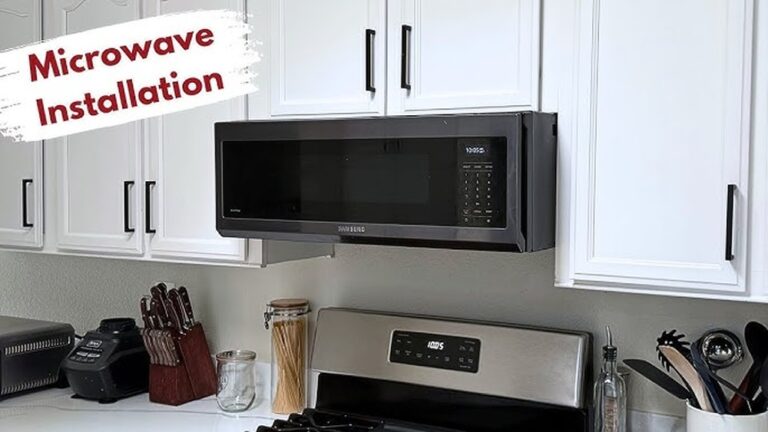
Credit: www.youtube.com
Basic Setup
Setting up your Samsung microwave oven is simple and quick. Start with the basics to ensure safe and effective cooking. Proper setup helps your food cook evenly and prevents accidents.
Placing Food Correctly
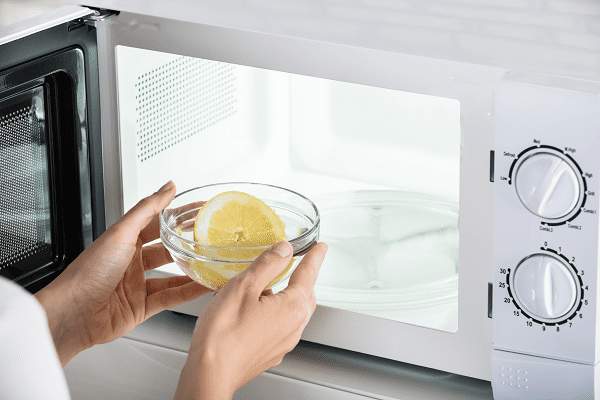
Put your food in a microwave-safe container. Avoid metal or aluminum foil. Place the container in the center of the turntable. This allows even heating from all sides. Cover the food with a microwave-safe lid or wrap. It stops splatters and keeps moisture in.
Closing The Door Securely
Close the microwave door firmly until you hear a click. A secure door keeps microwave energy inside. Never try to open the door while cooking. The microwave will stop automatically if the door opens. Check the door seal for dirt or damage often.
Setting Cooking Time
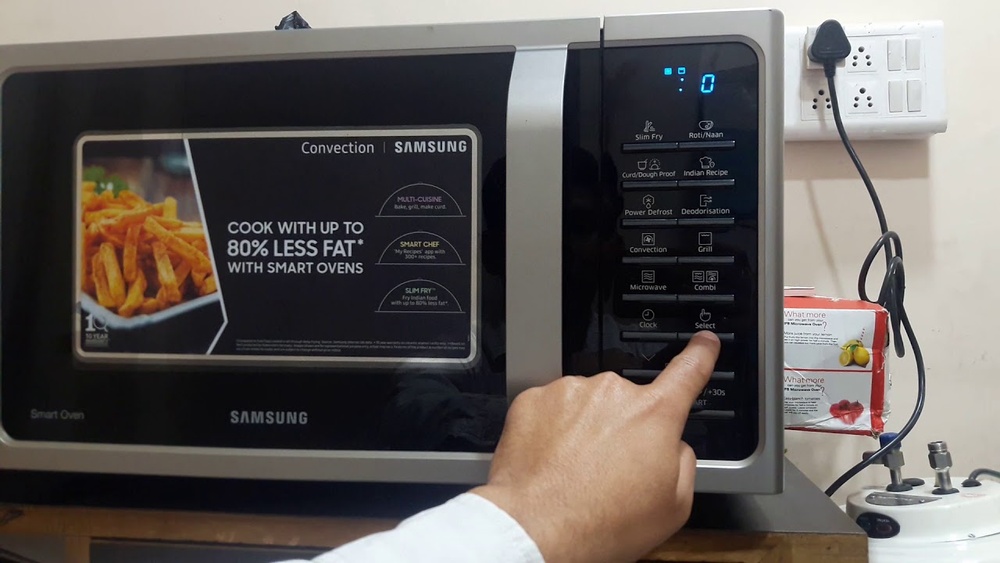
Use the number buttons or dial to set time. Enter the desired minutes and seconds clearly. Press the Start button to begin cooking. The microwave will beep when the time ends. To stop cooking early, press Stop or open the door.
Cooking And Heating
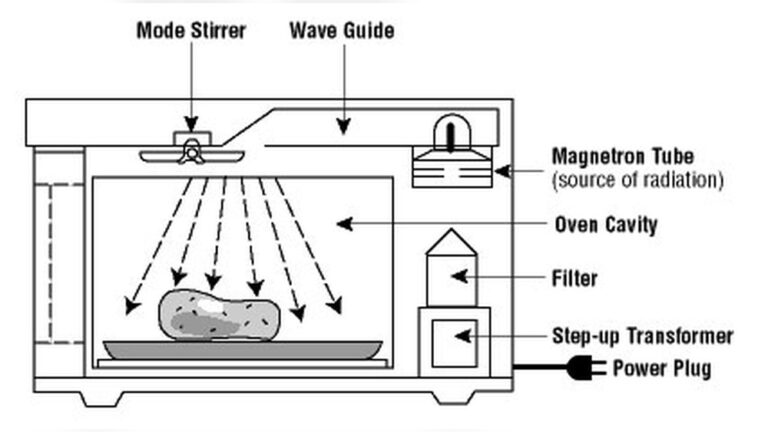
Cooking and heating with a Samsung microwave oven is simple and fast. This appliance uses microwaves to warm food evenly. It saves time and keeps meals tasty. Understanding basic functions helps you use it safely and effectively.
Follow clear steps to start cooking, change power levels, and pause or stop the process. This guide explains each step in detail, making your experience smooth and easy.
Starting The Microwave
Place your food inside the microwave. Close the door firmly. Use the number buttons or dial to set cooking time. Press the Start button to begin heating. The microwave will run for the set time and stop automatically. You will hear a beep when cooking ends.
Adjusting Power Levels
Not all foods need full power. Use the Power Level button to adjust it. Press the button, then select a power level from 1 to 10. Level 10 is full power, good for quick heating. Lower levels cook food gently, preventing overcooking. Choose the right level based on your recipe or food type.
Stopping Or Pausing Cooking
To stop cooking early, press the Stop or Clear button. The microwave will turn off immediately. You can also open the door to pause cooking. Close the door and press Start to continue. This helps check or stir food without losing heat.
Advanced Features
Samsung microwave ovens offer more than just basic heating. Advanced features enhance your cooking experience. These options allow you to prepare meals with ease and variety. Understanding these features helps you use your oven better.
Using Grill Mode
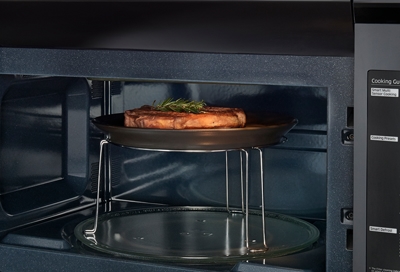
Grill mode uses a heating element to brown food. It is perfect for toasting and grilling meat or vegetables. Place food on the grill rack inside the oven. Set the grill mode and cooking time. The microwave will cook and crisp your food evenly.
Combination Cooking
Combination cooking mixes microwave and grill or convection heat. This method cooks food faster while giving it a crispy finish. Choose the combination setting on your microwave. Adjust time and power according to your recipe. This feature works well for casseroles and baked dishes.
Convection Oven Functions
Convection function turns your microwave into a small oven. It uses a fan to circulate hot air evenly. This helps bake cakes, cookies, and bread perfectly. Select the convection mode and temperature. Use the timer to control cooking duration. The result is food cooked evenly with a nice texture.
Credit: www.samsung.com
Safety Tips
Using a Samsung microwave oven safely is important for every user. Following simple safety tips helps avoid accidents and keeps the appliance in good condition. These tips protect you from burns, spills, and other common hazards.
Proper Door Closure
Always check that the microwave door closes fully before starting. A door that is not closed properly can cause microwave energy to leak. This may harm your health and damage the microwave. Make sure the latch clicks into place every time you shut the door.
Handling Hot Liquids
Be careful when heating liquids in the microwave. Hot liquids can boil over or splash when moved. Use oven mitts or a thick cloth to take containers out. Let the liquid sit for a few seconds before stirring or drinking to avoid burns.
Using Microwave-safe Containers
Only use containers labeled microwave-safe. Avoid metal, aluminum foil, or containers with metal parts. These can cause sparks and fires. Glass, ceramic, and some plastics are good choices. Check for damage or cracks before use, as broken containers can break in the microwave.
Cleaning And Maintenance
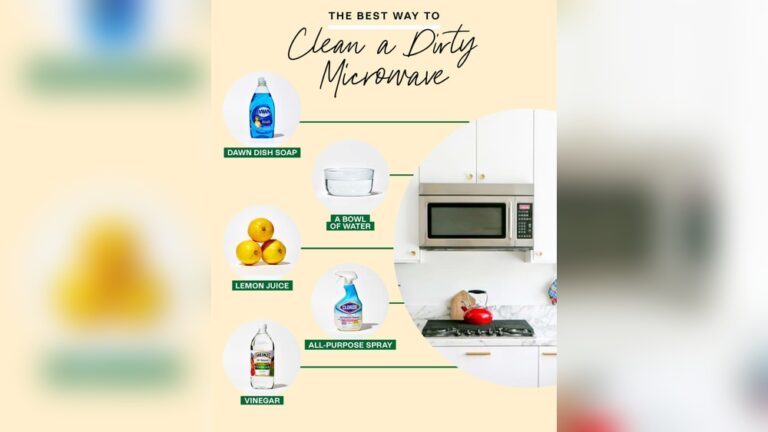
Keep the microwave clean to prevent food buildup and odors. Wipe the inside and outside regularly with a damp cloth. Do not use harsh chemicals or abrasive sponges. Check the door seals and hinges for damage. If you see any issues, get them fixed quickly to maintain safe operation.
Troubleshooting
Troubleshooting your Samsung microwave oven helps keep it working well. Simple checks can solve many common problems. Understanding these steps saves time and avoids extra repair costs.
Checking Power Supply
First, ensure the microwave is plugged in properly. Check the power outlet by plugging in another device. If no power, try a different outlet. Inspect the power cord for damage. A damaged cord needs replacement.
Inspecting Door Latch
The microwave won’t work if the door latch is faulty. Open and close the door firmly. Listen for a clicking sound, which means the latch engages. Clean the latch area from any debris. If the door does not close properly, it may need repair or replacement.
Testing Internal Components
Internal parts like the fuse, diode, and magnetron affect performance. Unplug the microwave before testing. Use a multimeter to check the fuse for continuity. A blown fuse requires replacement. Inspect the diode for damage or burns. The magnetron should produce heat; if not, it may be faulty. Testing internal parts may require professional help for safety.
Credit: www.samsung.com
Helpful Tips
Using a Samsung microwave oven becomes easier with a few simple tips. These helpful hints ensure your food cooks evenly and safely. They also extend the life of your microwave and improve your cooking results.
Avoiding Overheating
Do not heat food for too long at once. Overheating can cause food to burn or dry out. Use shorter cooking times and check the food often. Let food stand for a minute after heating. This helps heat spread evenly inside the food.
Stirring Liquids During Heating
Stir liquids like soups or sauces halfway through heating. This prevents hot spots that can cause burns or spills. Use a microwave-safe spoon to stir carefully. Stirring helps heat reach all parts of the liquid evenly.
Restarting Cooking Easily
If food is not hot enough, you can restart cooking quickly. Just close the door and press the start button again. The microwave will continue from where it stopped. This saves time and avoids resetting the cooking time.
Frequently Asked Questions
How Do You Use A Samsung Microwave?
Place food inside and close the door securely. Use the number buttons or dial to set cooking time. Press Start to begin. The microwave beeps when done. Press Stop/Clear or open the door to stop early. Use microwave-safe containers and follow safety instructions.
How To Use A Microwave Oven Step By Step?
Place food inside and close the door. Set cooking time using number buttons or dial. Choose power level if needed. Press start. The microwave stops and beeps when done. Open door or press stop to end early. Use microwave-safe containers only.
How To Heat Food In Samsung Microwave Oven?
Place food in a microwave-safe container and close the door. Set the time using number buttons or dial. Press Start. The microwave stops and beeps when done. Adjust power level if needed using the Power Level button. Always ensure the door is securely closed before heating.
Conclusion
Using a Samsung microwave oven is simple and saves time. Just place food inside and set the timer. Adjust power levels for better cooking results. Remember to close the door firmly before starting. Always use microwave-safe containers to avoid accidents.
Stir liquids carefully to prevent overheating. Explore extra features like grilling if your model has them. Regular cleaning keeps your microwave working well. Following these steps helps you cook safely and efficiently every day.