How to Reset Samsung Microwave Filter: Quick & Easy Guide
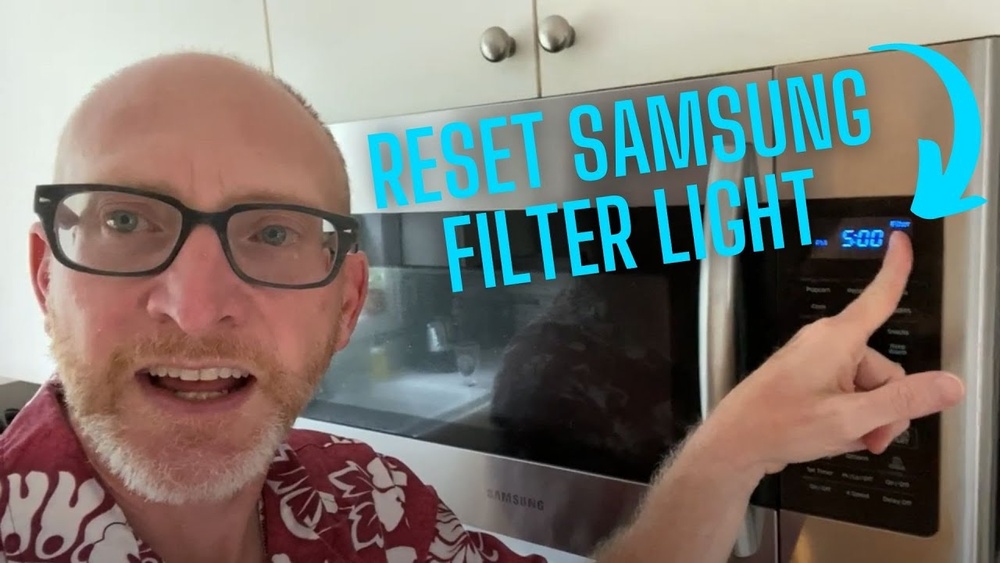
If your Samsung microwave’s filter light keeps blinking, it’s trying to tell you something important. Ignoring it can affect your microwave’s performance and even your kitchen’s air quality.
But don’t worry—you can easily reset the filter indicator yourself. In this guide, you’ll learn exactly how to reset your Samsung microwave filter step-by-step, so your appliance runs smoothly again. Keep reading to discover quick and simple fixes that anyone can do, no technical skills needed!

Credit: www.youtube.com
Filter Light Meaning
The filter light on a Samsung microwave signals a need for attention. It alerts you when the filter requires cleaning or replacement. This reminder helps keep your microwave running smoothly and safely. Ignoring the light can reduce performance and cause odors.
Understanding the filter light meaning ensures timely maintenance. It also helps avoid damage and extends your microwave’s life. Knowing what triggers the light is useful for proper care.
Why Filter Light Turns On
The filter light turns on after a set time of use. It acts as a timer for cleaning or changing the filter. This light does not mean the microwave is broken. It means the filter is dirty or clogged.
Cleaning or replacing the filter resets the light. The microwave tracks usage and reminds you to maintain the filter. Regular maintenance keeps the microwave working efficiently.
Types Of Filters In Samsung Microwaves
Samsung microwaves use mainly two filter types: charcoal and grease filters. Charcoal filters help remove odors during cooking. Grease filters trap grease and smoke from cooking fumes.
Charcoal filters need replacement every few months. Grease filters require cleaning more often, usually monthly. Some models use one or both filter types. Knowing your filter type helps in proper maintenance.
Cleaning Filters
Cleaning the filters in your Samsung microwave is essential for proper operation. Dirty filters block air and reduce the microwave’s efficiency. Regular cleaning helps remove grease and odors. It also extends the life of your appliance. Follow these simple steps to clean your filters safely and effectively.
Removing Grease Filter
First, locate the grease filter under the microwave hood. Most models have a handle or tab for easy removal. Gently pull the filter out of its slot. Avoid using force to prevent damage. This filter traps grease and needs regular cleaning.
Cleaning Charcoal Filter
The charcoal filter absorbs odors and smoke. Unlike grease filters, these cannot be washed with water. Instead, replace them every few months or as recommended. If your model allows, vacuum the filter gently to remove dust. Check your manual for specific instructions on charcoal filter care.
Drying And Reinstalling Filters
After cleaning, dry the grease filter completely. Use a clean cloth or air dry it for several hours. Never reinstall a wet filter as it may cause odors or damage. Once dry, slide the filter back into its slot securely. Ensure it fits snugly to work properly.
Resetting Filter Light
The filter light on your Samsung microwave signals when the filter needs cleaning or replacement. Resetting this light after maintenance helps keep your microwave running smoothly. This guide explains easy ways to reset the filter light. Follow the steps below to clear the filter alert quickly.
Using Control Panel Buttons
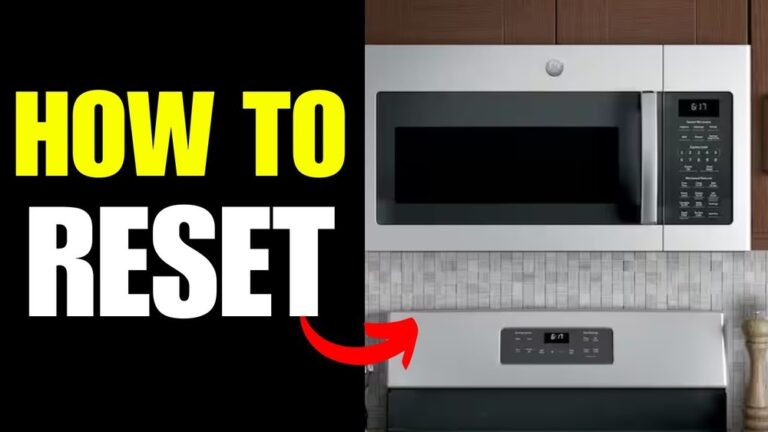
Most Samsung microwaves have a reset option on the control panel. Press and hold the “Stop/Cancel” button for 3 to 5 seconds. The filter light should turn off. If your model has a “Reset” or “Filter Reset” button, press it once. This method works well for quick resets after cleaning.
Power Cycle Reset Method
Unplug the microwave from the power outlet. Wait about 30 seconds to one minute. Plug it back in and turn it on. This power cycle can reset the filter light and clear minor errors. It is helpful if the control panel buttons do not respond.
Resetting Without Dedicated Button
Some Samsung microwaves lack a specific reset button for the filter light. In these cases, press the number “0” button and hold it for 3 to 5 seconds. The filter light will turn off if the reset is successful. This simple trick works on many models without a dedicated reset key.
Troubleshooting Tips
Troubleshooting your Samsung microwave filter reset can be simple. Some common issues prevent the filter light from resetting. These tips help resolve basic problems quickly. Follow each step carefully to avoid confusion.
Unlocking Control Panel
Sometimes the control panel locks automatically. This stops any changes including filter reset. To unlock, press and hold the Stop/Clear button for three seconds. The panel will beep or show a message if unlocked. Now, try resetting the filter again.
Disabling Demo Mode
Microwaves in demo mode do not work fully. This mode shows features but disables functions. To turn off demo mode, press and hold the Mute and Start buttons together for five seconds. The microwave should beep and exit demo mode. This allows normal use and filter reset.
When To Contact Support
If the filter light stays on after resets, problems may be deeper. Faulty sensors or software issues can cause this. Contact Samsung customer support for professional help. They guide you through advanced fixes or service options. Do not ignore persistent error lights to avoid damage.
Preventive Maintenance
Preventive maintenance is key to keeping your Samsung microwave working well. Regular care of the filter helps avoid problems. It keeps the air clean and the microwave efficient. Small steps now save costly repairs later. Follow simple routines to extend the life of your appliance.
Regular Filter Cleaning Schedule
Clean the microwave filter every one to three months. Remove the filter gently. Wash it with warm, soapy water. Let it dry completely before putting it back. A clean filter prevents smoke and odors. It also helps the microwave vent properly.
Signs Of Filter Replacement
Notice if the filter looks damaged or very dirty. If cleaning does not improve performance, replacement is needed. A clogged filter causes bad smells and smoke inside. It can also make the microwave noisy. Change the filter as recommended by Samsung.
Maintaining Microwave Performance
Reset the filter light after cleaning or replacing the filter. This keeps the microwave running smoothly. Regular filter care improves cooking speed and air flow. It reduces wear on parts and energy use. A well-maintained microwave saves time and money.

Credit: www.amazon.com

Credit: www.samsung.com
Frequently Asked Questions
How Do I Clear The Filter Alert On My Samsung Microwave?
To clear the filter alert on your Samsung microwave, press and hold the “0” (zero) button for 3 seconds. This resets the filter indicator. Ensure you have cleaned or replaced the filter before resetting.
How Do I Reset The Filter On My Microwave?
To reset the microwave filter, first clean the grease and charcoal filters. Then, press and hold the “0” button for 3 seconds until the filter light turns off. If needed, unplug the microwave, wait 30 seconds, and plug it back in to complete the reset.
How Do You Reset A Samsung Microwave?
Unplug your Samsung microwave or turn off its circuit breaker for 1 minute. Plug it back in or switch the breaker on. Clean the filters if resetting the filter light. Press Stop/Clear to unlock the control panel. Contact Samsung support if issues persist.
Conclusion
Resetting your Samsung microwave filter is quick and simple. Clean the filters regularly to keep your microwave working well. Press the right button to clear the filter light after cleaning. This small step helps maintain good air flow and cooking performance.
Remember, a clean filter means a better microwave. Keep an eye on the filter light and reset it as needed. This way, your microwave stays efficient and safe to use every day.