How to Mute Samsung Microwave: Easy Steps to Silence Alerts
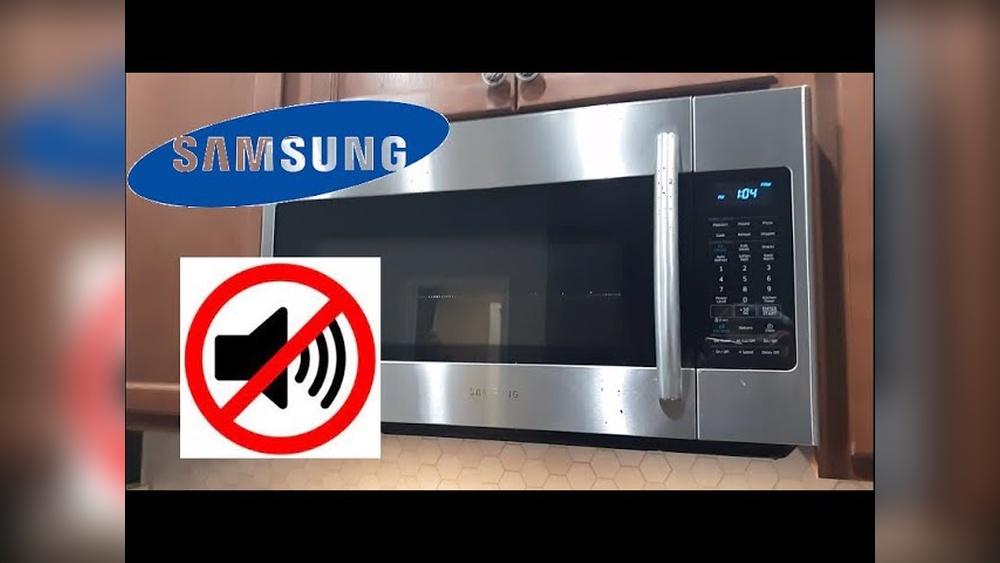
Is the constant beeping from your Samsung microwave driving you a little crazy? You’re not alone.
Those loud alerts can interrupt your peace, especially if you’re trying to keep things quiet in your kitchen or home. Luckily, muting your Samsung microwave is easier than you think—and you don’t need to fiddle with complicated settings or call for help.
In this guide, you’ll discover simple, step-by-step methods to turn off or lower the microwave’s sound so you can enjoy cooking without the noise. Keep reading, and by the end, you’ll have full control over your microwave’s beeps, making your kitchen experience much more peaceful.

Credit: www.samsung.com
Mute Samsung Microwave Beeps
Samsung microwaves beep to signal the end of cooking or to alert you during use. These sounds can be loud or distracting. Muting the beeps helps create a quieter kitchen environment. Samsung offers several ways to turn off or lower these sounds.
Below are simple methods to mute Samsung microwave beeps. Try each one to find the best fit for your model.
Hold Number Buttons
Press and hold the number 0 and 1 buttons together for 3 seconds. This often toggles the sound off. You may hear a beep confirming the change. Repeat the process to turn sound back on.
Use Stop Or Clear Button
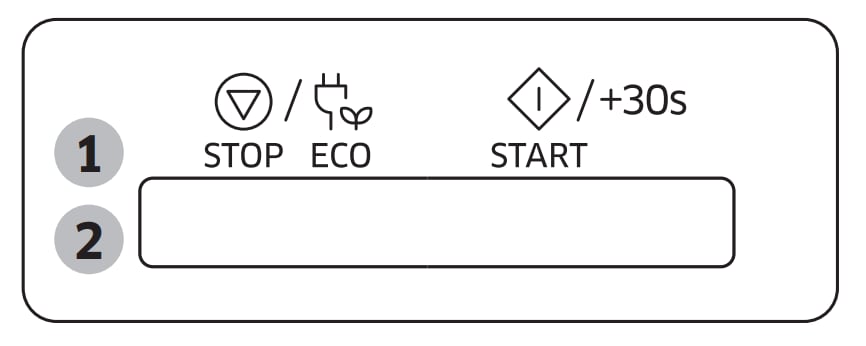
Some Samsung microwaves mute beeps by holding the Stop or Clear button. Press and hold this button for 3 to 5 seconds. The microwave may beep once or twice to confirm silence mode activation. This method works on many models.
Press Sound Or Speaker Button
Look for a button labeled Sound, Speaker, or with a speaker icon. Press and hold this button for a few seconds. The microwave will mute its sounds and beep once for confirmation. Press the button again to restore sounds.

Credit: www.reddit.com
Adjust Sound Settings
Adjusting the sound settings on your Samsung microwave lets you control or mute the beeping noise. This feature is useful when you want a quieter kitchen environment. Most Samsung microwaves offer simple options to turn off or lower the volume of the sound.
The process involves navigating the microwave’s menu, selecting the sound option, and saving your preference. Follow these clear steps to adjust the sound settings easily.
Access Options Or Settings Menu
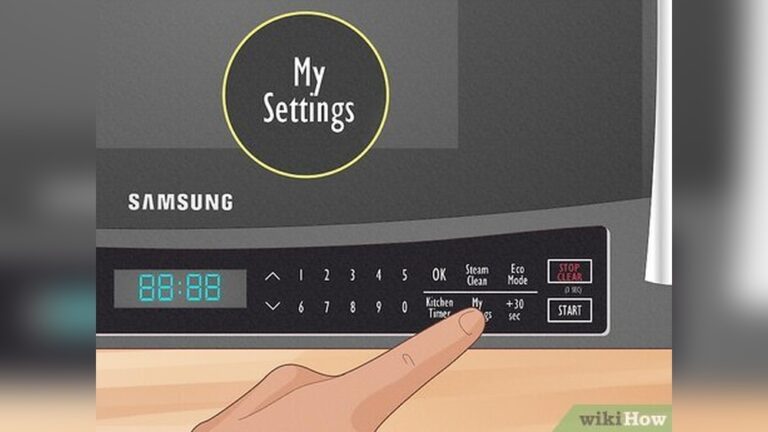
First, press the “Options” or “Settings” button on your microwave’s control panel. This opens the menu where you can change different settings. Use the arrow keys or dial to scroll through the options.
Select Sound Off
Look for the “Sound” or “Beep” option in the menu. Select it by pressing the “Enter” or “OK” button. Choose “Off” or “Mute” to silence the microwave’s beeping sounds. Some models may have volume levels to adjust instead.
Save Changes
After selecting the sound option, confirm your choice by pressing the “Start” or “Enter” button. The microwave will save the new setting automatically. Exit the menu, and test by pressing a button to ensure the sound is muted.
Troubleshoot Muting Issues
Muting a Samsung microwave should be simple. Sometimes, the mute feature may not work as expected. Troubleshooting muting issues helps solve these problems fast. Follow clear steps to identify and fix common muting challenges. This section guides you through practical solutions to get your microwave sound off.
Check User Manual
Start by reading your microwave’s user manual. It has exact instructions for your model. Manuals explain button combinations to mute sounds. They also show how to adjust settings in the menu. Keep the manual handy for quick reference. If you lost it, try to download a PDF from Samsung’s website.
Search Model-specific Instructions
Samsung microwaves differ by model. Some models use buttons like “Stop” or “Clear” to mute. Others have a “Sound” or speaker icon button. Use your microwave’s model number to find exact muting steps. Enter the model number in search engines for precise guides. This helps avoid confusion and saves time.
Use Online Video Guides
Videos show step-by-step muting instructions. Watching a video makes it easier to follow. You can pause and replay tricky parts. Many users share helpful how-to videos on YouTube. Look for videos that match your microwave model. These guides often cover troubleshooting tips too.
Alternative Silence Methods
Sometimes, muting a Samsung microwave directly is not possible. Alternative silence methods help reduce or stop the beeping noise. These options work around the sound without changing settings. They are easy to try and often very effective. Below are some practical ways to keep your microwave quieter.
Temporary Mute Hacks
Pressing the stop or cancel button quickly can pause the beep for a short time. Covering the button area with tape may prevent accidental beeps. Using a cloth to muffle the sound near the speaker can lower noise temporarily. These hacks are simple and require no tools or changes to settings.
Cover Speaker Area
Locate the small speaker grill on your microwave’s control panel. Place a piece of thick tape or foam over the speaker holes. This blocks the sound from escaping clearly. The microwave still works fine but sounds become much softer. Make sure the cover does not block ventilation or buttons.
Unplug Microwave Alerts
Unplugging your microwave stops all sounds and alerts immediately. Use this method only if you do not need to use the microwave right away. Some people unplug the microwave during quiet hours to avoid disturbances. Remember to plug it back in before use. This method is effective but not practical for frequent cooking.
Credit: www.samsung.com
Frequently Asked Questions
How Do I Turn Off The Beeper On My Samsung Microwave?
Press and hold the Stop/Clear button for 3 seconds to toggle the beeper off. Alternatively, access Settings, select Sound, and turn it off. Check your model’s manual for specific instructions.
How Do I Turn Down The Sound On My Samsung Microwave?
Press and hold the “Stop/Clear” button for 3 seconds to mute the sound. Alternatively, access Settings or Options menu and turn off sound there. Check your model’s manual for exact steps.
How Do I Turn The Microwave To Silent Mode?
Press and hold the “Stop” or “Cancel” button for 3 seconds to mute most microwaves. Alternatively, access Settings or Options and toggle sound off. Check your model’s manual if these steps don’t work.
Conclusion
Muting your Samsung microwave is simple and quick. Use the sound or stop button to toggle the beep. Check the settings menu if buttons don’t work. Refer to your user manual for model-specific steps. Silencing the microwave helps create a quieter kitchen environment.
Now, enjoy cooking without the constant noise.