How to Fix Samsung Microwave Not Heating: Easy DIY Solutions
Is your Samsung microwave running but not heating your food? It’s frustrating when you press start, the microwave hums, but your meal stays cold.
You might think it’s broken beyond repair, but before you rush to buy a new one or call a costly technician, there are simple steps you can take to fix it yourself. In this guide, you’ll learn how to quickly identify common issues like Demo Mode, door latch problems, or faulty internal parts that cause your microwave to stop heating.
By the end, you’ll know exactly what to check, how to safely troubleshoot, and when it’s time to get professional help. Keep reading—your microwave might be just a few easy fixes away from working perfectly again!
Common Settings To Check
When your Samsung microwave stops heating, some simple settings might be the cause. Checking these settings first can save time and avoid costly repairs. These settings often affect the microwave’s heating function without obvious signs.
Below are common settings to check before looking into complex issues. Adjusting these may restore your microwave’s heating ability quickly.
Demo Mode
Demo Mode shows how the microwave works without heating. It is used in stores for display. If Demo Mode is on, the microwave will run but not heat.
Check your microwave’s control panel for a “Demo” or “Energy Save” option. Press and hold the correct buttons to exit Demo Mode. Your user manual explains this process clearly.
Kitchen Timer
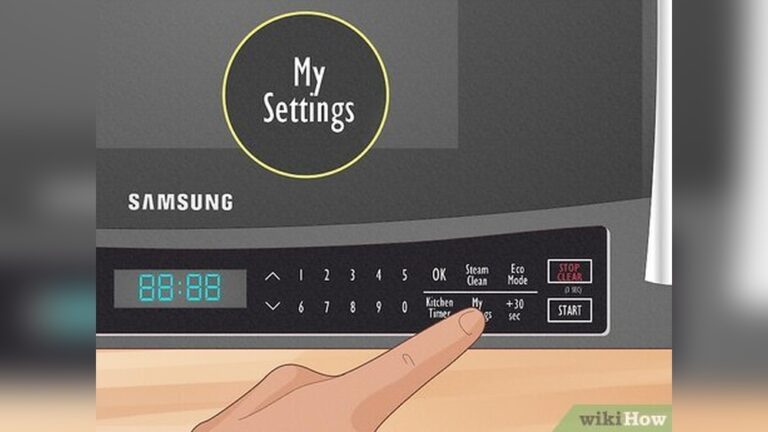
Sometimes the microwave runs only as a timer. In this mode, it counts down but does not heat food.
Look at the display. If only the timer is running, press the “Stop” or “Clear” button. Then select a cooking function and set the time. This will start the heating process.
Door Latch
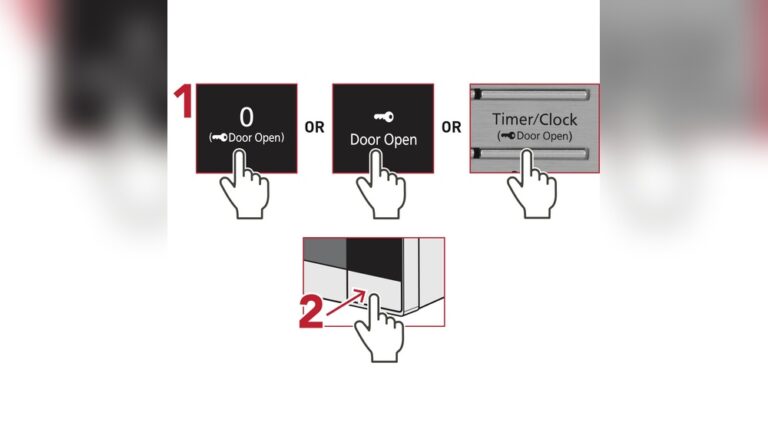
The microwave will not heat if the door latch is faulty. The door must close tightly for heating to start.
Open and close the door firmly. Listen for a click sound from the latch. If the door feels loose or the microwave stops when slightly open, the latch might be broken.
Inspect the latch for damage. Replace or repair it to restore heating safely.

Credit: www.youtube.com
Signs Of Internal Component Failure
Signs of internal component failure in a Samsung microwave often show up as no heating during operation. The microwave may run, the light may turn on, and the turntable may spin, but food stays cold. This means a vital part inside has stopped working. Recognizing these signs helps diagnose the problem quickly.
Internal parts like the magnetron, high-voltage diode, capacitor, thermal fuse, thermostat, or control board can fail. Each has specific symptoms that indicate failure. Understanding these signs helps decide whether repair or replacement is needed.
Magnetron Issues
The magnetron produces microwaves that heat food. If the microwave runs but does not heat, the magnetron might be faulty. Common signs include a burning smell or strange noises during operation. A damaged magnetron prevents heat generation entirely.
High-voltage Diode Problems
The high-voltage diode works with the capacitor to power the magnetron. When the diode fails, the microwave may run but fail to heat. Signs include a humming sound or intermittent heating. A blown diode stops the magnetron from receiving power.
Capacitor Faults
The capacitor stores and releases electrical energy to the magnetron. A faulty capacitor can cause the microwave to stop heating. Symptoms include a buzzing noise or no heat even though the microwave runs. Testing the capacitor requires special tools for safety.
Thermal Fuse And Thermostat
The thermal fuse and thermostat protect the microwave from overheating. If either part blows, the microwave may stop heating as a safety measure. Signs include the microwave running briefly then shutting off. These parts need replacement if they fail.
Control Board Malfunctions
The control board manages all microwave functions. A malfunctioning board may cause heating problems or erratic behavior. Signs include unresponsive buttons or error codes on the display. Control board issues often require professional repair or replacement.
Safety Tips Before Repair
Always unplug the microwave before starting any repair to avoid electric shock. Check that the door closes properly and avoid touching internal parts. Use tools carefully and consider professional help for high-voltage components.
Fixing a Samsung microwave that does not heat needs careful safety steps. Microwaves have high voltage parts that can hurt you. Before opening the microwave, take safety seriously to avoid accidents.
Always prepare your workspace. Make sure it is dry and clean. Wear rubber-soled shoes to reduce the risk of electric shock. Keep children and pets away from the area.
Unplugging The Microwave
Always unplug the microwave from the power outlet before starting any repair. Do not just turn off the microwave. Unplugging cuts all power and stops any electric flow.
Check the plug and cord for damage before you begin. A damaged cord can cause shocks or fire. Never work on the microwave if the cord is broken or frayed.
Handling High Voltage Parts
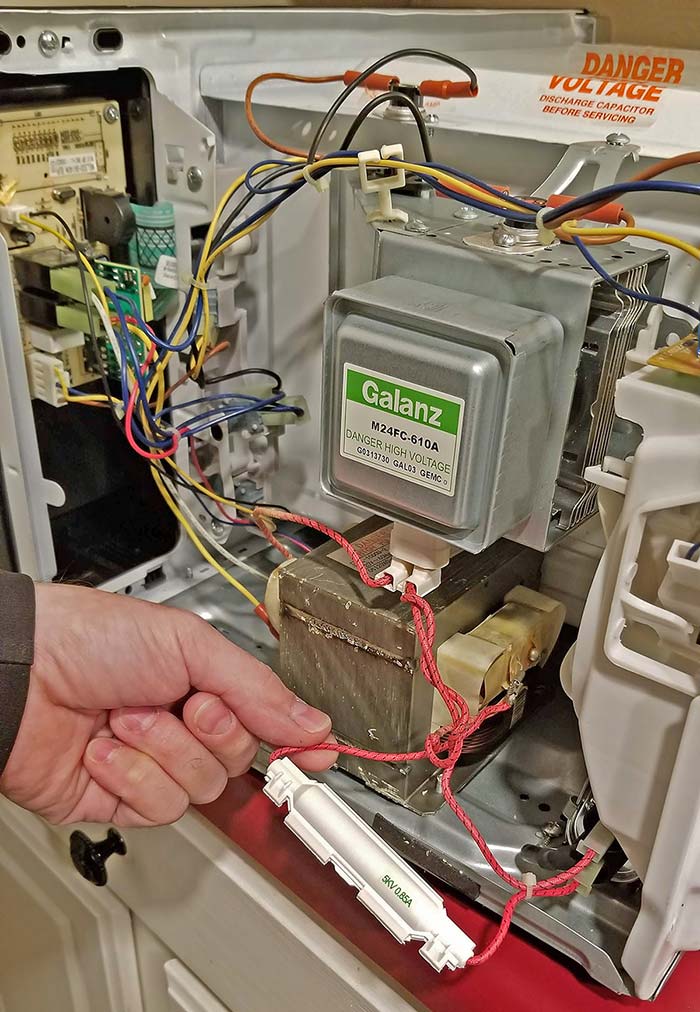
Microwave parts like the magnetron and capacitor hold high voltage. They can give a strong electric shock even after unplugging. Discharge the capacitor before touching it to avoid shocks.
Use insulated tools to handle these parts. Avoid touching metal parts with your bare hands. Work slowly and carefully to prevent accidents.
Using A Multimeter Safely
A multimeter helps check electrical parts safely if used right. Set the multimeter to the correct setting before testing. Wrong settings can damage the tool or cause injury.
Hold the probes by the insulated handles only. Do not let the probes touch each other during testing. Keep your hands dry and avoid standing on wet floors.
Credit: thecuriousstones.com
Diy Diagnostic Steps
Diagnosing a Samsung microwave that won’t heat can save time and repair costs. You can perform simple checks yourself before calling a professional. These DIY diagnostic steps focus on common issues that stop the microwave from heating. Take safety precautions by unplugging the microwave before inspecting internal parts.
Testing Continuity On Components
Use a multimeter to test the continuity of key components. Check the magnetron, high-voltage diode, and capacitor. Set the multimeter to the continuity or resistance mode. Remove the component and place the probes on its terminals. A continuous beep or low resistance means the part is good. No beep or infinite resistance means the part is faulty and needs replacement.
Inspecting Door Switch And Latch
The microwave won’t heat if the door switch or latch is broken. Open the door and look for physical damage or loose parts. Use a multimeter to test the door switches for continuity. Press the switch manually while testing. If it does not beep or show continuity, replace the switch. Also, ensure the door latch fully closes and locks securely.
Resetting Settings
Sometimes the issue is a simple setting error. Reset the microwave to factory settings to clear any glitches. Unplug the microwave for one minute and plug it back in. Check if the demo mode is enabled and turn it off. Ensure the kitchen timer is not active, as it can prevent heating. Resetting often restores normal function without complex repairs.
When To Call A Technician
Knowing when to call a technician for a Samsung microwave not heating is important. Some problems need professional skills and tools. Trying to fix complex issues alone can cause more damage or risks. Reading this section will help you decide when to seek expert help.
Complex Part Replacement
Microwaves have parts that carry high voltage. The magnetron, diode, and capacitor are common heating components. Replacing these parts requires special knowledge and tools. Incorrect handling may cause electric shock or fire. A trained technician can safely replace these complex parts.
Risks Of Diy Repairs
Opening a microwave is dangerous without experience. You might get an electric shock from stored energy. Some parts can be damaged easily if handled wrong. Incorrect repairs can make the problem worse or void the warranty. Safety should be your priority. Leave high-risk repairs to professionals.
Finding Qualified Help
Look for technicians certified in appliance repair. Check reviews and ask for recommendations. A good technician will diagnose the problem clearly. They use proper tools and genuine Samsung parts. Hiring experts saves time and avoids extra costs. Choose a service that guarantees their work.

Credit: www.youtube.com
Preventive Maintenance Tips
Preventive maintenance helps keep your Samsung microwave working well. Small, regular care stops many heating problems. These simple steps improve microwave life and save repair costs. Follow these tips to avoid common issues and keep your microwave heating properly.
Regular Cleaning
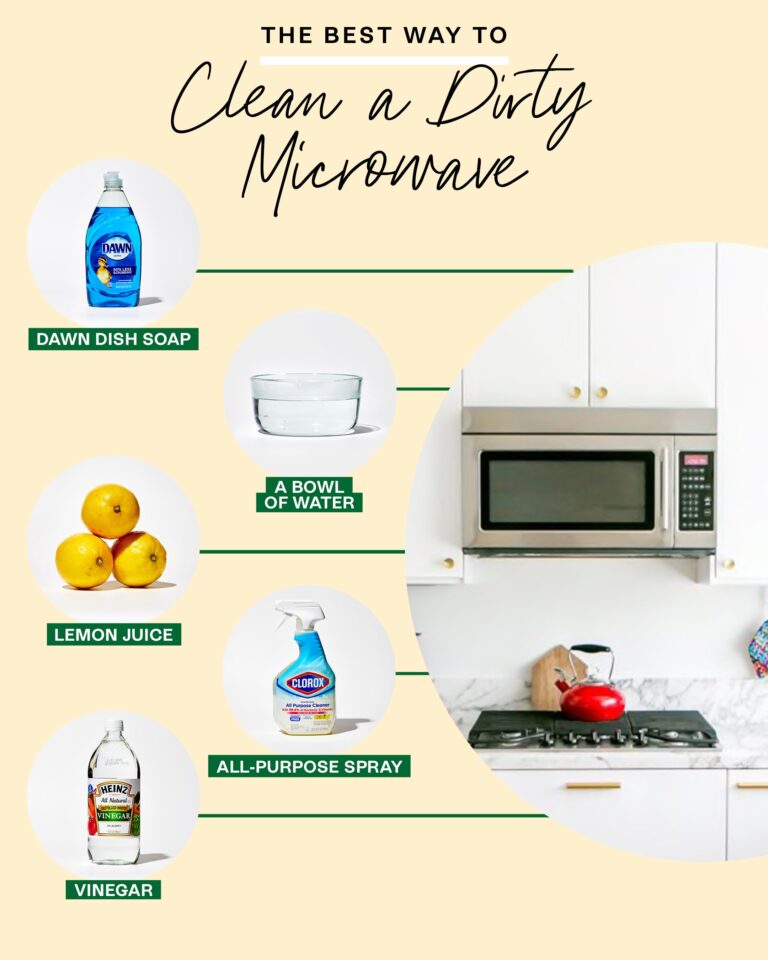
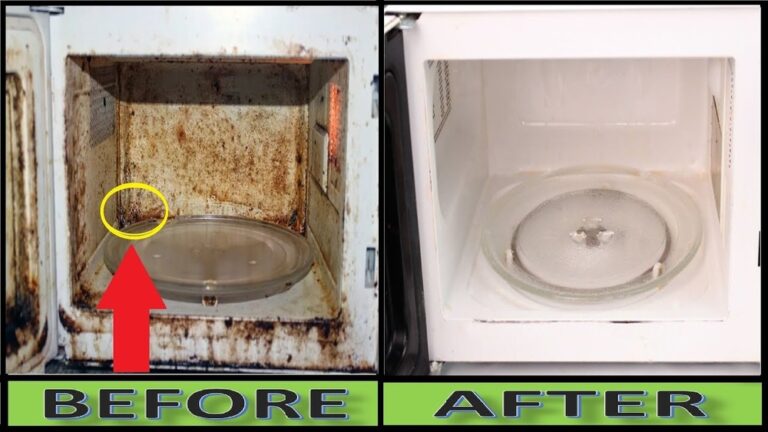
Clean the inside of your microwave often. Wipe spills and food bits with a damp cloth. Use mild soap and water for tough stains. Dirt buildup can block microwave waves and reduce heating. Keep the vents clean to prevent overheating. A clean microwave runs better and lasts longer.
Avoiding Overuse
Do not use your microwave for too long at once. Overuse can cause parts to wear out faster. Give the microwave time to cool between uses. Avoid running it empty, as this can damage internal parts. Use the microwave only for recommended cooking times. This helps keep the heating elements safe.
Checking Door Seals
Inspect the door seals regularly for cracks or damage. The door seal keeps heat and microwaves inside. A broken seal can cause heating issues and energy loss. Clean the seals gently to remove food particles. Replace seals if they are worn out or broken. A tight door seal ensures the microwave heats correctly.
Frequently Asked Questions
Why Is My Samsung Microwave Running But Not Heating?
Your Samsung microwave runs but doesn’t heat due to faulty magnetron, diode, capacitor, door switch, thermal fuse, or control board. Check for Demo Mode or Kitchen Timer first. For internal issues, unplug and call a professional to avoid high-voltage risks.
Is There A Reset Button On Samsung Microwave?
Samsung microwaves do not have a dedicated reset button. To reset, unplug it for a few minutes, then plug it back in. This often clears minor errors and restores normal function. For persistent issues, consult the user manual or contact Samsung support.
Why Is My Microwave Not Heating Up But Runs?
Your microwave runs but doesn’t heat due to failed parts like the magnetron, diode, capacitor, or a faulty door switch or fuse. Check for Demo Mode or Kitchen Timer first. Internal repairs need professional help to avoid electric shock risks.
What Is The Life Expectancy Of A Samsung Microwave?
Samsung microwaves typically last 7 to 10 years with proper use and maintenance. Lifespan depends on model and usage frequency. Regular cleaning and avoiding overheating extend their life.
Conclusion
Fixing a Samsung microwave that won’t heat starts with simple checks. Verify the Demo Mode is off and the Kitchen Timer isn’t active. Ensure the door closes tightly and the latch works well. If these don’t help, internal parts like the magnetron or diode might be faulty.
These parts carry high voltage, so call a professional for repairs. Regular maintenance and careful use can extend your microwave’s life. With patience, you can identify issues quickly and get your microwave heating again.