How to Fix Microwave Oven: Quick and Easy Repair Tips
Is your microwave oven acting up and leaving you frustrated? You’re not alone.
Many people face common microwave problems like the turntable not spinning, strange noises, or the oven simply not heating your food. Before you rush to buy a new one or call an expensive repair service, you can try some simple fixes yourself.
In this guide, you’ll learn how to quickly identify what’s wrong with your microwave and what steps you can take to fix it safely. Keep reading, and you’ll save time, money, and the hassle of being without this kitchen essential. Let’s get your microwave working like new again!
Common Microwave Issues
Microwave ovens face several common problems that affect their performance. These issues can range from simple fixes to more complex repairs. Understanding these common problems helps you identify and solve them quickly. This saves time and avoids unnecessary expenses.
Heating Problems
Microwave not heating or heating unevenly is common. Causes include a faulty magnetron, diode, capacitor, or door switch. Check if the door latch is aligned properly. Many heating issues require professional repair of internal parts like the magnetron or diode.
Turntable Not Spinning
The turntable may stop spinning due to a misaligned plate or broken drive motor. Food debris can also block the movement. Reposition the plate and clean any debris. If the motor or coupler is damaged, they need replacement.
Sparking Inside Microwave
Sparks inside the microwave usually come from metal objects like foil or utensils. Food residue on the waveguide cover can also cause sparking. Remove all metal items and clean the mica sheet to prevent sparks.
Unusual Noises
Grinding, buzzing, or humming sounds often come from the turntable motor, fan motor, or magnetron. Clean the fan and vents regularly. If noises persist, motors or the magnetron might need professional repair.
Control Panel And Door Failures
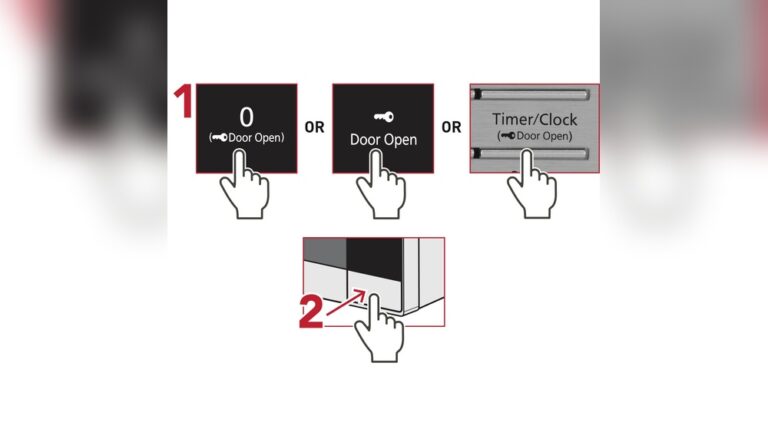
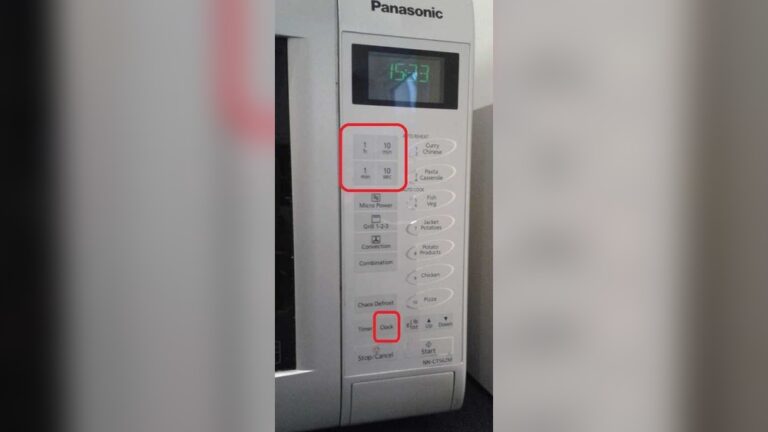
Buttons may stop working or the door may not close properly. This happens due to faulty touchpads, door interlock switches, or latch mechanisms. Try resetting by unplugging the microwave. Replace damaged switches with professional help.
Microwave Won’t Turn On
If your microwave does not turn on, check the power source first. Faulty door switches or blown fuses can also cause this issue. Professional diagnosis is often needed to fix electrical faults safely.
Light Bulb Replacement
The microwave light bulb can burn out over time. Unplug the microwave before replacing the bulb. Use the correct bulb type. Replace it carefully to avoid damage to internal parts.
Diagnosing Heating Problems
Heating problems are among the most common issues with microwave ovens. A microwave may turn on but fail to heat food properly. Diagnosing these problems involves checking key components. Simple tests help identify the faulty part. This guide focuses on two major areas: the magnetron and diode, and the door switch and latch. Both play critical roles in heating performance.
Faulty Magnetron And Diode
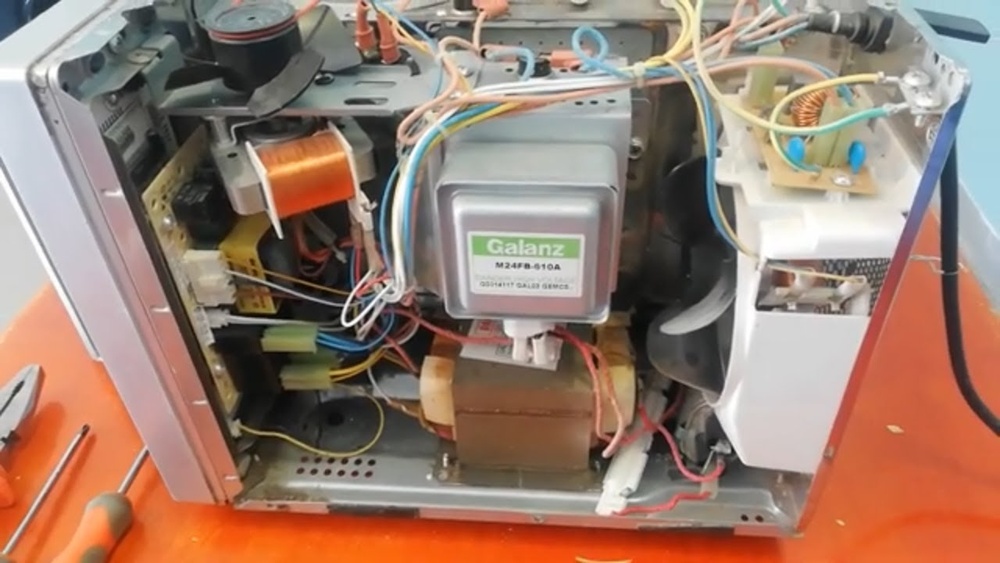
The magnetron generates microwave energy to heat food. The diode converts AC power to high voltage DC for the magnetron. If either fails, the microwave will not heat. Signs include the oven running but food staying cold. Use a multimeter to test the diode’s continuity. A broken diode shows no continuity. Magnetron testing is more complex and often requires professional help. Replacing these parts restores heating function.
Checking Door Switch And Latch
The door switch ensures the microwave stops operating when the door opens. A faulty switch or latch can cause heating failures. Inspect the door latch for damage or misalignment. Use a multimeter to check each door switch for continuity. If a switch does not close properly, the microwave won’t heat. Replacing broken switches or fixing the latch often solves the problem. Safety depends on these parts working correctly.
Fixing Turntable Issues
The turntable in a microwave oven moves your food for even heating. Problems with the turntable can cause uneven cooking or no rotation at all. Fixing turntable issues often involves simple steps you can do at home. These fixes include repositioning the plate, cleaning food debris, and replacing worn parts like the motor or coupler.
Repositioning The Plate
First, check if the turntable plate sits correctly on the support ring. Remove the plate and place it back carefully. Ensure the plate fits into the center of the ring. A misaligned plate can stop the turntable from spinning. Test the turntable by running the microwave for a few seconds. If it spins, the problem is fixed.
Cleaning Food Debris
Food crumbs or spills can block the turntable from turning smoothly. Remove the plate and the support ring. Clean both parts with warm, soapy water. Also, check the turntable motor area for stuck debris. Wipe this area with a damp cloth. Dry everything well before reassembling. Clean parts help the turntable move without resistance.
Replacing Motor Or Coupler
If the turntable still does not spin, the motor or coupler might be broken. The motor turns the plate, and the coupler connects the motor to the plate. Unplug the microwave before starting repairs. Remove the bottom cover to access the motor. Test the motor with a multimeter for electrical continuity. Replace the motor or coupler if damaged. Use parts that match your microwave model exactly. After replacement, reassemble and test the turntable function.

Credit: appliancerepairdirect.ca
Stopping Sparking And Arcing
Sparking and arcing inside a microwave oven can cause damage and pose safety risks. These issues often result from metal objects inside or dirt on critical parts. Fixing sparking involves simple steps anyone can follow. Start by checking for metal items and cleaning the waveguide cover. These actions stop sparks and protect your microwave.
Removing Metal Objects
Metal inside the microwave causes sparks. Remove all foil, utensils, and containers with metal. Even small pieces can create arcing. Check the cooking area carefully before use. Use microwave-safe containers only. This simple step often solves the sparking problem instantly.
Cleaning Waveguide Cover
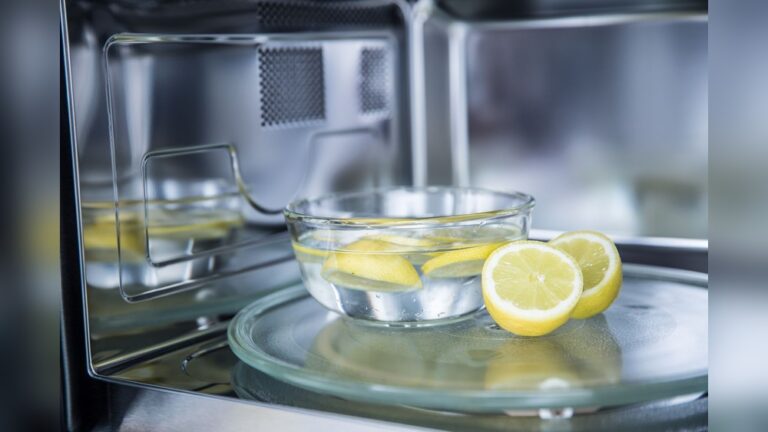
The waveguide cover is a small panel inside the microwave. It protects important parts from food splatters. Food residue or grease on this cover can cause sparks. Clean it gently with a damp cloth and mild soap. Avoid using abrasive cleaners that can damage the cover. Dry it well before using the microwave again. Regular cleaning reduces sparking and keeps your oven working well.
Addressing Unusual Noises
Unusual noises from a microwave oven often indicate mechanical issues. These sounds may include grinding, buzzing, or humming. Addressing these noises quickly helps prevent further damage. Simple fixes often restore normal operation and silence.
Cleaning Fan And Vents
Dust and debris can block the fan and vents inside the microwave. This blockage causes the fan to work harder and create noise. Unplug the microwave before cleaning. Use a soft brush or cloth to remove dirt from the vents and fan blades. Keep the area dry and free of grease. Regular cleaning ensures smooth fan operation and reduces noise.
Checking Turntable Motor
The turntable motor rotates the plate during cooking. A worn or damaged motor may produce grinding or clicking sounds. Remove the turntable and check if it spins freely by hand. If it sticks or feels rough, the motor might need replacement. Tighten loose screws around the motor. Sometimes, debris under the plate causes noise, so clean this area as well.
When To Seek Professional Repair
Some noises come from internal parts like the magnetron or fan motor. These components are complex and dangerous to repair alone. If cleaning and simple checks fail, call a professional technician. Avoid opening sealed parts inside the microwave. Professional repair ensures safety and proper function. Do not ignore persistent or loud noises.
Resolving Control Panel And Door Issues
Control panel and door issues are common problems in microwave ovens. These issues often stop the microwave from working properly. Fixing them can restore your microwave without costly repairs. Understanding simple steps can help you resolve these problems quickly and safely.
Resetting The Microwave
Start by unplugging the microwave from the power outlet. Leave it unplugged for at least one minute. This action resets the internal electronics. After one minute, plug the microwave back in. Check if the control panel responds normally. Resetting often clears minor errors in the system. It is the easiest first step in troubleshooting control issues.
Replacing Switches And Panels
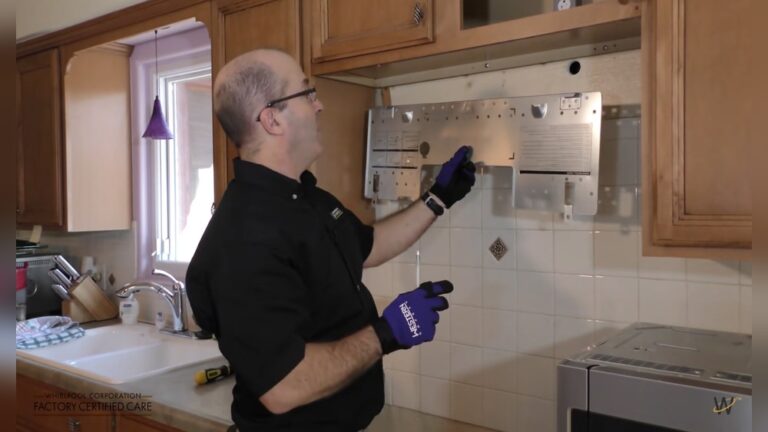
Faulty door switches or control panels cause many microwave problems. These parts can wear out or break. To replace them, first disconnect the microwave from power. Open the microwave casing carefully with a screwdriver. Locate the faulty switch or damaged panel. Remove the broken part and install a new one. Make sure to buy parts that fit your microwave model. Reassemble the microwave and test the door and control buttons. Replacing these parts restores proper function and safety.
Troubleshooting Power Problems
Microwave ovens sometimes fail to power on. Troubleshooting power problems helps identify simple fixes. Basic checks often solve the issue without needing a technician.
Checking Power Supply And Breakers
Start by confirming the microwave is plugged in properly. Check the wall outlet for power by plugging in another device. If the outlet has no power, examine your home’s circuit breaker panel. A tripped breaker could cut power to the microwave. Reset the breaker by switching it off and on again. Ensure no other electrical faults cause the breaker to trip repeatedly.
Inspecting Fuses And Wiring
Microwaves have internal fuses that protect them from electrical surges. A blown fuse stops the microwave from turning on. Unplug the microwave and remove the outer cover carefully. Locate the fuse, usually near the power cord entry. Use a multimeter to test for continuity. Replace any blown fuses with the exact type. Inspect wiring for signs of damage, such as burns or loose connections. Secure or replace any faulty wires before reassembling the microwave.

Credit: www.ifixutah.com
Replacing The Microwave Light Bulb
Replacing the microwave light bulb is a simple fix that brightens the inside of your appliance. A working light helps you check your food without opening the door. Over time, the bulb can burn out or break, needing a replacement. This guide shows easy steps to change the bulb safely and quickly.
Safety Precautions
Unplug the microwave before starting any repair. This stops electrical shock risks. Avoid touching internal parts besides the bulb area. Use gloves to protect your hands from sharp edges. Let the bulb cool down if it was recently on. Work in a well-lit space to see clearly.
Step-by-step Bulb Replacement
First, find the bulb cover inside the microwave, usually near the top or side. Use a screwdriver to remove the cover screws. Carefully take off the cover to access the bulb. Gently twist the old bulb counterclockwise to remove it. Insert the new bulb by twisting it clockwise until snug. Replace the bulb cover and secure screws. Plug the microwave back in and test the light. The new bulb should shine brightly.
Safety Tips For Microwave Repairs
Repairing a microwave oven requires careful attention to safety. Microwaves contain parts that hold electric charge even when unplugged. Mishandling these components can cause serious injury or damage. Follow safety tips closely to protect yourself during repairs.
Handling High-voltage Components
Microwave ovens have a high-voltage capacitor that stores dangerous electricity. This capacitor can still hold a charge after unplugging the microwave. Never touch internal parts without discharging the capacitor first. Use a proper tool or consult a guide to safely release stored energy.
Avoid opening the microwave’s back panel unless you have experience. High-voltage parts include the magnetron and diode, which can shock you. Always work with one hand if possible, keeping the other away from metal or grounded surfaces. Wear insulated gloves and safety glasses for extra protection.
When To Contact A Technician
Some microwave repairs need special skills and tools. If you are unsure about the problem or how to fix it, call a professional. Do not try to repair the magnetron, high-voltage capacitor, or control board yourself. These parts are complex and dangerous.
Signs to contact a technician include sparks inside, burning smells, or the microwave not heating after simple checks. A certified technician can diagnose and fix these issues safely. Protect your home and yourself by trusting trained experts for major repairs.

Credit: www.youtube.com
Frequently Asked Questions
What Is The Common Problem With A Microwave?
Common microwave problems include not heating due to magnetron or diode failure, turntable not spinning, sparking from metal inside, strange noises, and control panel or door issues. Cleaning and basic checks may help, but internal electrical faults often need professional repair.
Is It Worth Fixing A Microwave Oven?
Fixing a microwave is worth it if repair costs are less than replacement and it has no major damage. Simple issues like door switches or turntable motors can be fixed affordably. For complex problems, such as magnetron failure, professional repair is costly and replacement may be better.
How To Fix A Microwave That Is Not Working Properly?
Check power supply and door latch alignment first. Clean waveguide cover and remove metal inside. Reposition or clean turntable parts. Unplug and reset control panel. For heating or motor issues, contact a professional technician to safely repair internal components.
Conclusion
Fixing a microwave oven often starts with simple checks. Clean inside, remove metal objects, and check the door latch. Replace broken parts like the turntable motor or bulb if needed. Some problems need professional help, especially electrical issues. Always unplug the microwave before any repair.
Regular care helps your microwave last longer. Small fixes save time and money. Stay safe and follow instructions carefully. Your microwave can work well again with these easy steps.