How to Clean Samsung Microwave Filter: Quick & Easy Steps
If you want your Samsung microwave to work efficiently and keep your kitchen smelling fresh, cleaning its filter is a must. You might not realize it, but the filter traps grease and odors every time you cook.
Over time, a dirty filter can cause your microwave to perform poorly or even trigger warning lights. Don’t worry—it’s easier to clean than you think. In this guide, you’ll learn simple, step-by-step tips to remove, clean, and reinstall your Samsung microwave filter.
Keep reading to make sure your microwave stays in top shape and your cooking experience stays hassle-free!

Credit: www.samsung.com
Locate The Microwave Filter
Locating the microwave filter is the first step in cleaning your Samsung microwave. Knowing where the filter sits helps you remove and clean it properly. Filters trap grease and dirt, so regular cleaning keeps your microwave fresh and working well.
Identify Filter Types
Samsung microwaves usually have two types of filters. The primary filter is the grease filter. It collects cooking grease and is made of metal mesh. Some models also have a charcoal filter. This one reduces odors. Knowing the filter type helps you clean or replace it correctly.
Find Filter Position
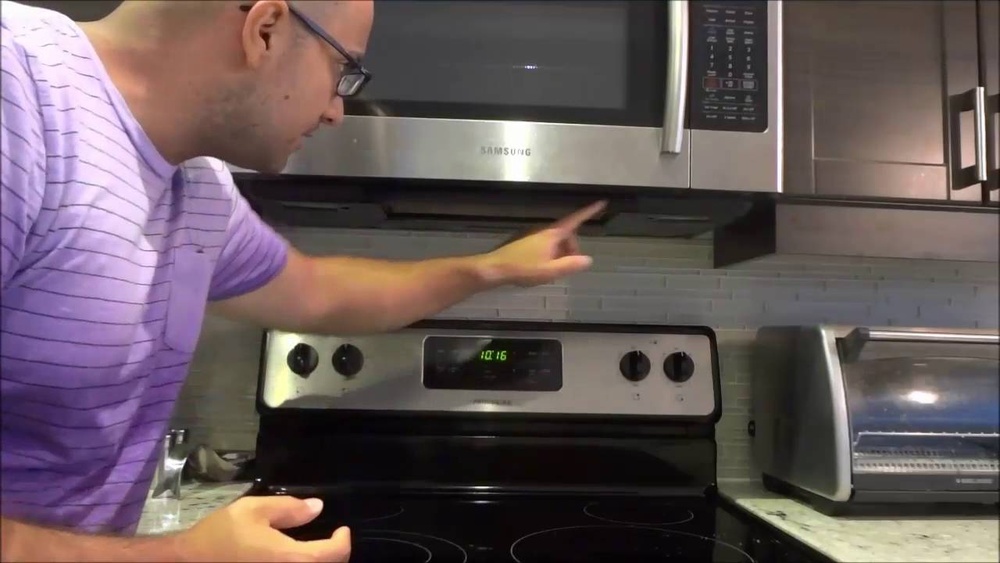
The grease filter is under the microwave, above the cooktop. It often looks like a metal panel or mesh. You can see it by looking underneath the microwave. The charcoal filter is inside the microwave’s vent area. It may need a tool to open. Finding these filters is easy if you check these spots carefully.

Credit: www.youtube.com
Remove The Filter
Removing the filter from your Samsung microwave is the first step to clean it effectively. The filter traps grease and odors, so regular cleaning keeps your microwave fresh. Follow simple steps to take the filter out safely without damage.
Slide Filter Tab
Locate the filter on the bottom of the microwave. It usually has a small tab or latch. Gently slide this tab upward or sideways depending on your model. This action releases the filter from its place. Pull the filter out slowly and steadily. Avoid forcing it as this may break the tab or filter frame.
Handle With Care
The filter is delicate and must be handled carefully. Hold it by the edges to avoid bending or denting. Avoid touching the mesh surface too much since oils from your hands can clog it. Place the filter on a clean surface or directly into a basin for cleaning. Treat the filter gently to keep it in good condition for reuse.
Clean The Filter
Cleaning the filter in your Samsung microwave keeps it working well and safe. The filter catches grease and dirt from cooking steam. Cleaning it often stops smells and smoke. It also helps the microwave last longer. Follow these simple steps to clean your microwave filter easily at home.
Soak In Hot Soapy Water
Start by removing the filter carefully from the microwave. Fill a basin with hot water and add mild dish soap. Place the filter in the water and let it soak for 10 to 15 minutes. This softens the stuck grease and dirt. Soaking makes the next cleaning steps easier and more effective.
Scrub Off Grease And Grime
Use a soft brush or sponge to scrub the filter gently. Focus on areas with heavy grease buildup. Avoid using metal brushes that can damage the filter. Scrubbing removes the loosened grime and restores the filter’s surface. Take your time to clean all sides well.
Rinse And Dry Thoroughly
Rinse the filter under warm running water to wash away soap and residue. Shake off extra water and pat the filter with a clean cloth. Let it air dry completely before putting it back. A dry filter prevents mold and keeps your microwave fresh.
:max_bytes(150000):strip_icc()/SPR-how-to-how-to-clean-a-microwave-filter-7565609-hero-01-de0ebc1318074aa2a919d63651e222c4.jpg)
Credit: www.thespruce.com
Reinstall The Filter
After thoroughly cleaning your Samsung microwave filter, it’s time to put it back in place. Proper reinstallation ensures your microwave works efficiently and keeps your kitchen air fresh. Follow these simple steps for a secure fit.
Slide Back Into Place
Hold the filter by its edges to avoid fingerprints. Align it with the slot under your microwave. Gently slide the filter into the groove. Push it until it fits smoothly without forcing. Ensure the filter is flush against the microwave base.
Ensure Secure Lock
Check if the filter clicks or locks in place. Press lightly to confirm it is secure. A loose filter can cause noise or reduce performance. If your model has a locking tab, engage it fully. Double-check both sides for a firm hold before use.
Reset The Filter Light
The filter light on your Samsung microwave signals when the grease filter needs cleaning. Resetting this light after cleaning keeps your microwave running smoothly. It also ensures the light accurately reflects the filter’s status. Follow these steps to reset the filter light quickly and easily.
Use Microwave Controls
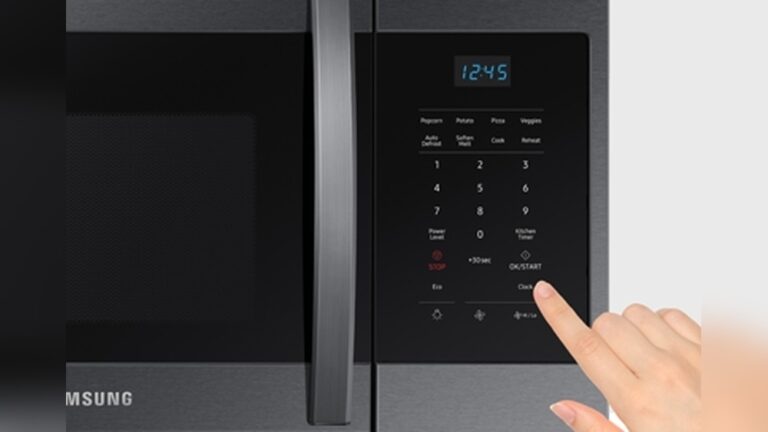
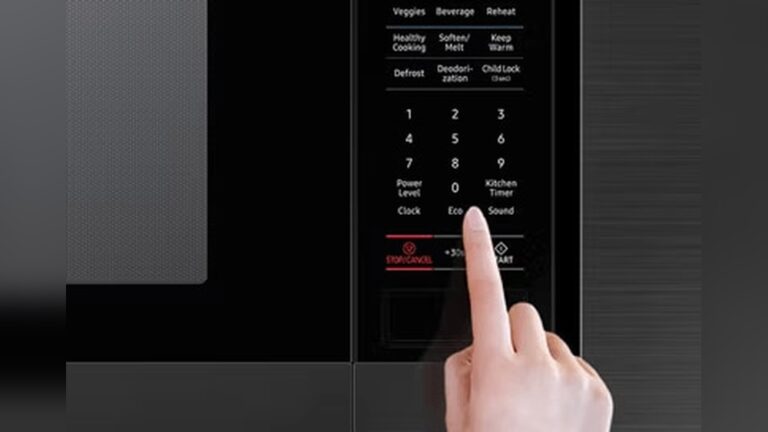
Start by locating the control panel on your microwave. Find the “Filter Reset” or “Clear” button. Press and hold this button for about 3 seconds. The filter light should turn off, confirming the reset. If your model uses a different button, check the user manual. This method works for most Samsung microwaves.
Power Cycle If Needed
If the filter light stays on, try power cycling the microwave. Unplug the microwave from the power outlet. Wait for 30 seconds to 1 minute. Plug it back in and turn it on. Check if the filter light has reset. This step can clear minor errors in the system. Repeat the reset process using the controls if needed.
Troubleshoot Filter Issues
Microwave filters can cause problems if they get dirty or damaged. Troubleshooting filter issues helps your microwave work well. You can avoid bad smells and poor ventilation by checking the filter regularly. Follow simple steps to find and fix common filter problems.
Check Model-specific Instructions
Samsung microwaves have different filters depending on the model. Always read the manual for your exact microwave. The manual explains how to remove and clean filters safely. Some models need special care or tools to handle filters. Follow the instructions to avoid damage or voiding warranties.
When To Replace Filters
Filters do not last forever and need replacement over time. Replace filters if they are torn, rusted, or very dirty. A clean filter works better and keeps your kitchen fresh. Most Samsung filters last about 6 to 12 months. Change filters sooner if you use the microwave often or cook greasy food.
Maintenance Tips
Regular maintenance keeps your Samsung microwave filter working well. Clean filters improve air flow and remove grease build-up. Proper care extends the life of your microwave. Follow simple tips to keep your filter in top shape.
Cleaning Frequency
Clean the microwave filter every month for best results. If you cook often, check it more often. Grease and dust can block the filter quickly. A clean filter stops smoke and odors in your kitchen. Don’t wait for the filter light to turn on.
Signs Of Filter Wear
Look for visible dirt and grease on the filter. If cleaning does not restore it, replacement might be needed. Notice if smoke or smells stay after cooking. Listen for unusual sounds from the microwave fan. These signs mean the filter is worn out.
Frequently Asked Questions
How Do You Clean A Samsung Microwave Filter?
Locate the grease filter under the microwave. Slide the tab upward to remove it. Soak in hot, soapy water, scrub, rinse, and dry completely. Reinstall by sliding it back and locking in place. Clean filters every four months for optimal performance.
Where Is The Microwave Filter On A Samsung?
The microwave filter on a Samsung is the grease filter located on the underside above the cooktop. Slide the tab upward to remove it for cleaning or replacement.
How Do You Clear The Filter Alert On A Samsung Microwave?
To clear the filter alert on a Samsung microwave, clean or replace the grease filter. Then press and hold the Stop/Cancel button for 3 seconds. The filter light will turn off, indicating the reset is complete.
Can You Clean And Reuse Microwave Filters?
Yes, you can clean and reuse microwave grease filters. Remove, soak in hot soapy water, scrub, rinse, dry, and reinstall. Clean filters every few months for best performance.
Conclusion
Cleaning your Samsung microwave filter keeps your appliance working well. Regular care removes grease and prevents odors. Use warm, soapy water and gentle scrubbing for best results. Always dry the filter completely before reinstalling. Reset the filter light after cleaning to track maintenance.
Clean filters improve air flow and cooking efficiency. Take time to clean filters every few months. Your microwave will stay fresh and last longer. Simple steps make this task easy and quick. Keep your kitchen safe and your microwave performing at its best.