How to Change the Clock on a Panasonic Microwave: Easy Step-by-Step Guide
Is your Panasonic microwave showing the wrong time? Maybe you just moved to a new time zone or experienced a power outage that reset your clock.
Whatever the reason, setting the correct time on your microwave is easier than you might think. If you’ve ever struggled to figure out how to change the clock on your Panasonic microwave, you’re in the right place. This simple guide will walk you through each step clearly and quickly, so you can have your microwave clock set perfectly in no time.
Keep reading to avoid confusion and get your kitchen running on schedule again!
Locate Clock Controls
Locating the clock controls on your Panasonic microwave is the first step to changing the time. These controls are often simple to find but can vary by model. Knowing where to look saves time and avoids frustration.
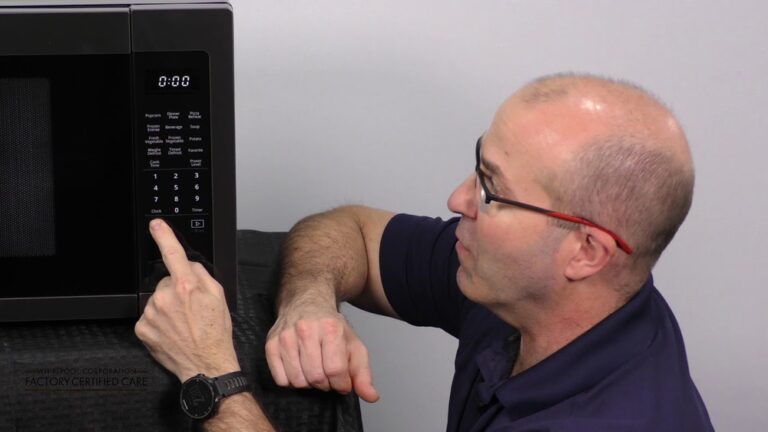
Start by examining the microwave’s control panel carefully. The clock setting button is usually marked clearly. In some models, it may share functions with other settings.
Identify Clock Or Settings Button
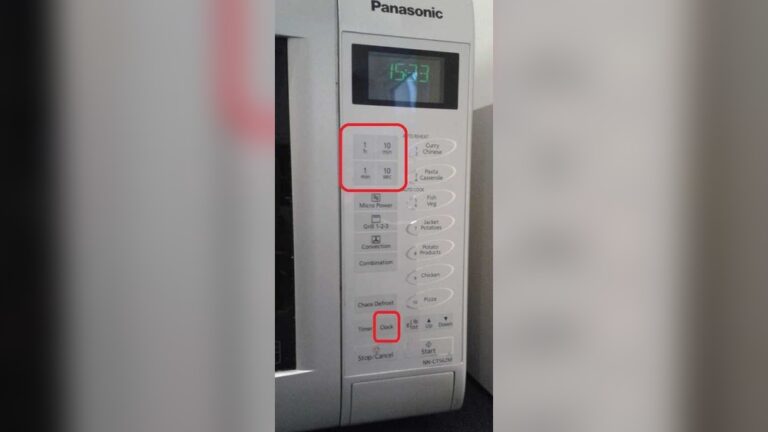
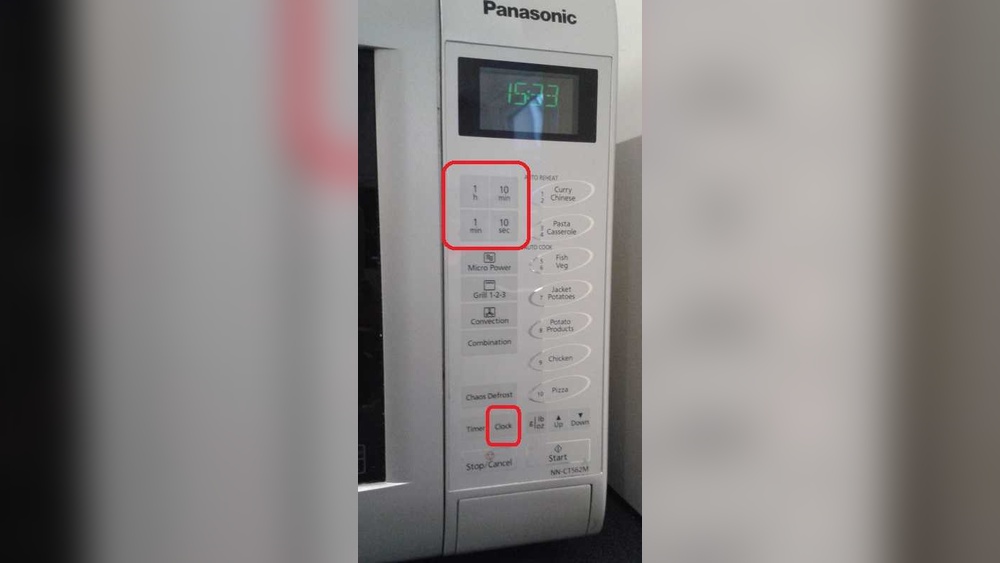
Look for a button labeled “Clock” or “Settings” on the control panel. This button often activates the clock adjustment mode. It might also be called “Timer” or have a clock icon. Pressing this button usually makes the clock digits start blinking, indicating you can change the time.
In some Panasonic microwaves, the “Clock” button may be combined with other functions. If unsure, press buttons that seem related to time or settings one by one. Avoid pressing too many buttons at once to prevent confusion.
Check Microwave Model Specifics
Each Panasonic microwave model has slight differences in its control layout. Check the user manual for your specific model if available. Manuals often have clear instructions and images showing the clock controls.
You can also find model-specific guides online by searching your microwave’s model number. This helps confirm which button to press and how long to hold it. Following these details ensures you set the clock correctly and quickly.
Enter Time
Entering the correct time on your Panasonic microwave is a simple step. This ensures your microwave clock shows the right time and keeps your kitchen running smoothly. The process involves using the number pad to input the time and adjusting the AM or PM setting if your microwave has this option.
Use Number Pad To Input Time
Start by pressing the clock or time button on your microwave. The display will blink, signaling it is ready for the new time. Use the number pad to enter the current time. For example, type 1-2-3-0 for 12:30. Make sure to enter the time in the correct format, usually four digits.
Enter the hours first, then the minutes. The clock may automatically place the colon between hours and minutes. If your microwave has no colon, just enter the numbers straight. This step sets the exact time you want to show on the display.
Adjust For Am Or Pm If Needed
Some Panasonic microwaves show time with AM or PM. After entering the time, check if your microwave needs you to select AM or PM. Look for a button labeled “Clock,” “AM/PM,” or something similar. Press this button to toggle between AM and PM.
Make sure you select the correct part of the day to avoid confusion. If your microwave does not have an AM/PM option, it may use a 24-hour format, so you do not need to adjust this. Confirm the time once the correct setting is chosen.
Confirm And Save
After entering the correct time on your Panasonic microwave, confirming and saving the new setting is essential. This step ensures the clock shows the right time during everyday use. Follow simple actions to lock in your changes quickly and correctly.
Press Start Or Clock Button
Press the Start button to confirm the time. Some models may require pressing the Clock button instead. This action tells the microwave you have finished setting the time. The display should respond by stopping the blinking numbers.
Wait For Display To Stop Blinking
The blinking on the clock display indicates it is still in setting mode. Wait a few seconds until the blinking stops. When the numbers become steady, the new time is saved. The microwave is now ready to use with the updated clock.

Credit: www.youtube.com
Adjusting Without Clock Button
Some Panasonic microwave models do not have a dedicated clock button. This makes setting the time a bit different. You can still adjust the clock without that button. It just takes using other controls on the microwave. These methods are simple and quick.
Below are two ways to change the clock without the clock button. Follow the steps carefully for your model.
Using Settings Or Menu Options
Many Panasonic microwaves have a menu or settings button. Press this button to access the clock settings.
Use the arrow or number keys to find the clock or time option. Select it by pressing the start or enter button.
Input the correct time using the number pad. Confirm the time by pressing start or enter again.
Your microwave will now show the new time. This method works well if no clock button is available.
Alternative Button Combinations
Some models let you set the clock using other button combos. Try pressing the “Stop/Cancel” and “Start” buttons at the same time.
Hold them for about 3 seconds until the clock display blinks. Use number keys to enter the time.
Press the “Start” button once more to save the new time. This trick works on various Panasonic microwaves.
Experiment with holding the “Timer” or “Power Level” buttons if the above does not work. The goal is to find the clock setting mode.
Troubleshooting Tips
Sometimes changing the clock on your Panasonic microwave may not go as planned. Small issues can cause the clock to not update or respond. Troubleshooting helps fix these common problems quickly. Follow the tips below to solve clock-setting troubles effectively.
Consult User Manual
Check your microwave’s user manual for specific clock instructions. Each model may have a different way to set or reset the clock. The manual often includes step-by-step guidance and diagrams. It can also explain error messages related to clock settings. Keep the manual handy for quick reference.
Reset Microwave If Necessary
Try resetting the microwave if the clock will not change. Unplug the microwave from the power outlet. Wait for about one minute before plugging it back in. This action clears minor errors and restarts the control panel. After resetting, follow the clock-setting steps again. Resetting often solves unresponsive clock problems.

Credit: help.na.panasonic.com
Maintenance Tips
Proper maintenance helps your Panasonic microwave clock work accurately and last longer. Simple daily care keeps the control panel responsive and clear. Checking the clock often avoids time errors that affect cooking schedules.
Follow these easy tips to maintain your microwave clock and enjoy its convenience every day.
Keep Control Panel Clean
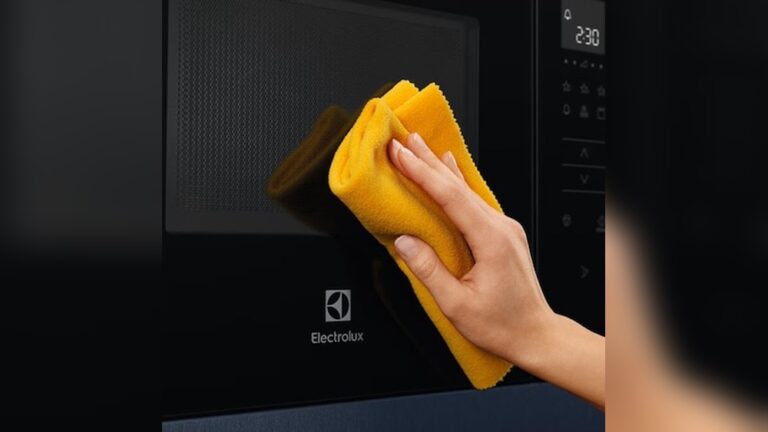
Wipe the control panel gently with a soft, damp cloth. Avoid harsh chemicals that may damage buttons or screen. Clean spills immediately to prevent sticky residue. A clean panel ensures buttons work smoothly and the clock remains visible.
Regularly Check Clock Accuracy
Compare the microwave clock time with a reliable source weekly. Adjust the time if you notice any delay or advance. Small time changes can affect cooking times. Keeping the clock accurate helps avoid overcooked or undercooked food.

Credit: www.youtube.com
Frequently Asked Questions
How Do I Change The Clock On A Microwave?
Press the “Clock” or “Set Clock” button. Enter the correct time. Select AM/PM if needed. Press “Start” or “Enter” to confirm. Check your microwave’s manual for brand-specific instructions.
How To Set The Clock On A Panasonic Nn Sb658s Microwave?
Press the “Clock” button on the Panasonic NN SB658s microwave. Enter the correct time using the number pad. Press “Clock” again to confirm and set the time.
How Do I Reset My Panasonic Microwave?
To reset your Panasonic microwave, unplug it for 1-2 minutes. Plug it back in and set the clock using the Clock button. Enter the correct time and press Start to confirm.
Conclusion
Changing the clock on your Panasonic microwave is simple and quick. Just follow the steps carefully, and you will set the correct time in no time. A properly set clock helps you keep track while cooking and saves energy. Don’t worry if it takes a couple of tries; practice makes perfect.
Now, your microwave is ready to use with the right time displayed. Enjoy the convenience of having a correctly set clock every day.