How to Change Microwave Power Level: Easy Steps for Perfect Cooking
Have you ever wondered why your microwave cooks some foods unevenly or why certain recipes call for a specific power level? Changing your microwave’s power level is the secret to cooking smarter, not harder.
By adjusting the power settings, you can defrost, simmer, or cook food perfectly without overcooking or drying it out. You’ll learn exactly how to change your microwave power level step-by-step, no matter the model. Keep reading and discover how a simple setting tweak can make your meals tastier and your cooking faster!

Credit: www.youtube.com
Microwave Power Levels
Microwave power levels control how much energy the appliance uses to cook food. Different power levels help cook food evenly and prevent overcooking. Understanding these levels helps you cook smarter and save time.
Most microwaves have power levels from 1 to 10 or percentages from 10% to 100%. Each level changes how fast your food heats. Knowing how to adjust power levels improves your cooking results.
What Power Levels Mean
Power levels show how strong the microwave heats your food. Level 10 or 100% means full power and fast cooking. Lower levels use less energy and cook food slower.
For example, power level 5 or 50% means the microwave runs half the time at full power. This helps cook food gently. Some foods need lower power to avoid burning or drying out.
Why Adjust Power Levels
Adjusting power levels helps cook different foods better. High power is good for boiling water or reheating leftovers quickly. Low power is best for defrosting or cooking delicate foods.
Using the right power level keeps food moist and prevents overcooking. It also saves energy by not using full power all the time. Changing power levels gives you control over how your food cooks.
Credit: www.maytag.com
Locating Power Level Controls
Finding the power level controls on your microwave is the first step to adjusting cooking settings. Each microwave model has a unique way to set the power level. Knowing where the controls are helps you cook food evenly and avoid overcooking. Below are common types of controls you might see on your microwave.
Touchpad Models
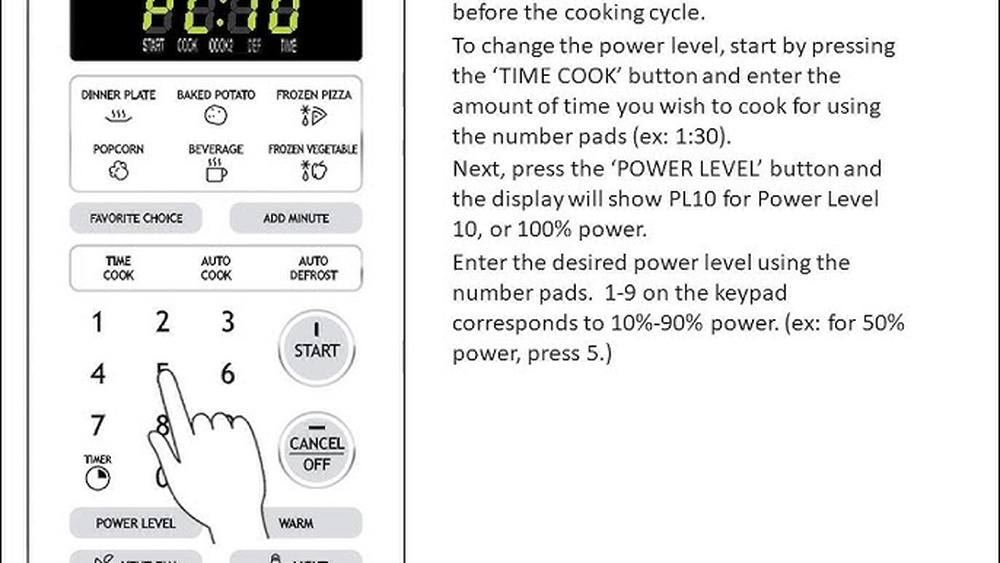
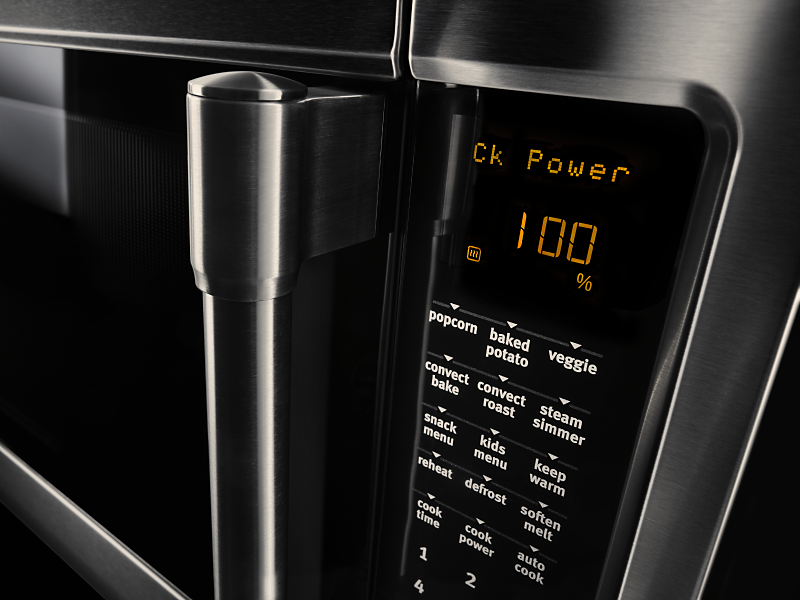
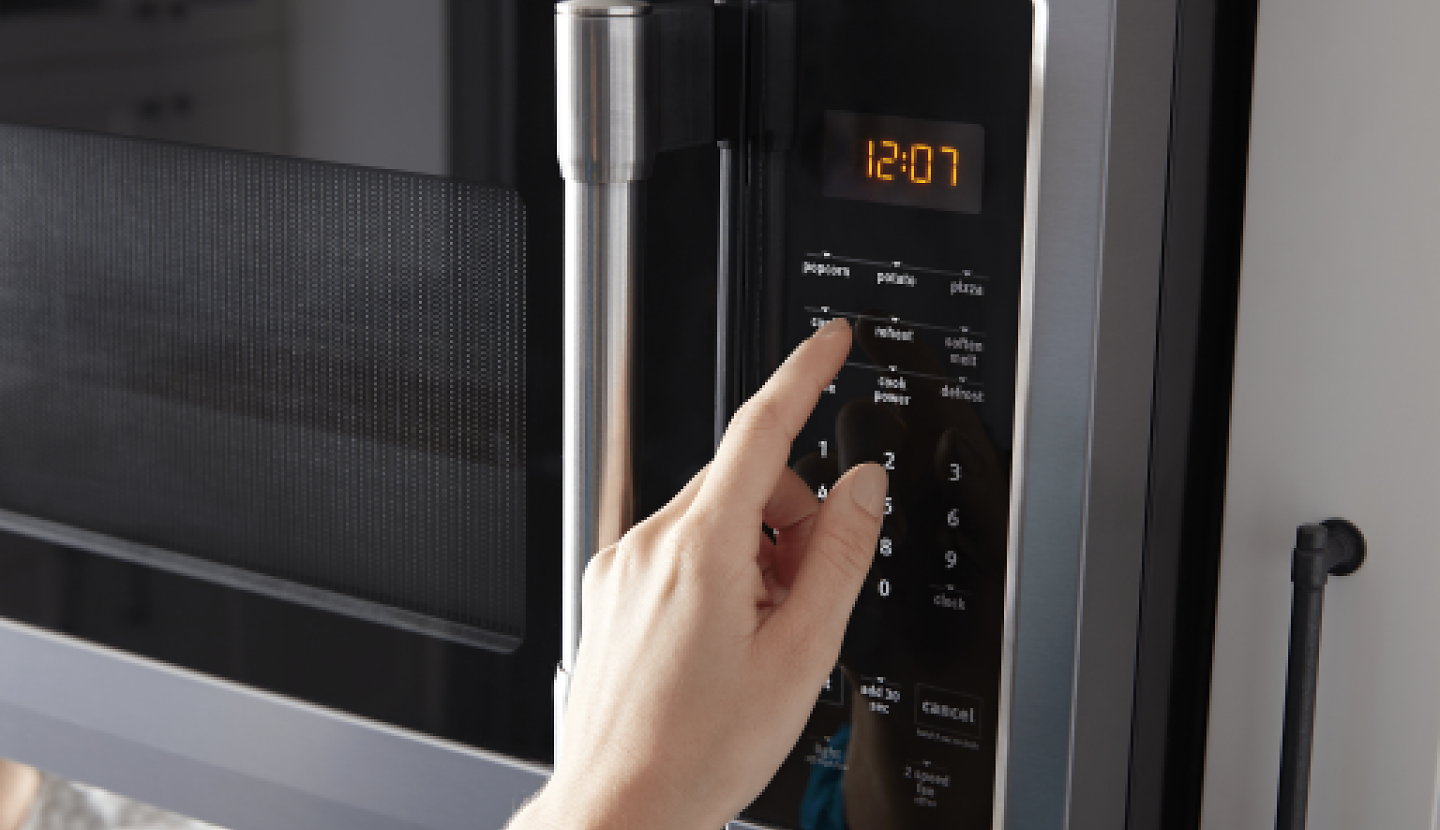
Touchpad microwaves have a flat control panel with buttons. Look for a button labeled “Power Level” or “Power.” It is often near the number pad. Press the power button, then enter the cooking time. Next, select the desired power level using the number keys. Finally, press “Start” to begin cooking.
Dial Control Models
Dial control microwaves use knobs instead of buttons. One dial sets the cooking time. Another dial changes the power level. Turn the power dial to the desired setting, usually numbered from 1 to 10 or low to high. Turn the time dial to set the cooking duration. Press the start button if your model has one.
Smart Microwaves
Smart microwaves connect to Wi-Fi and have digital displays. Use the touchscreen or smartphone app to find power settings. The power level option may be in the cooking menu. Tap the power setting and choose the level you want. Smart microwaves may also suggest power levels based on the food type.
Step-by-step Power Level Change
Changing the microwave power level lets you cook food perfectly. Different foods need different power settings. Lower power melts or softens food gently. Higher power heats food quickly. Follow these simple steps to adjust your microwave’s power level with ease.
Setting Cook Time
First, press the cook time button on your microwave. Enter the amount of time you want to cook your food. Use the number pad or dial to set the time. Make sure the time matches the cooking instructions on your food package. Setting the correct time is important for even cooking.
Selecting Power Level
Next, press the power level button. You will see numbers or percentages on the display. These numbers show the power from 1 to 10 or 10% to 100%. Turn the dial or press the buttons to select the power level you want. Lower power cooks food slowly, higher power cooks faster. Confirm your choice by pressing the power level button again or wait for the display to stop blinking.
Starting The Microwave
After setting time and power, press the start button. The microwave will begin cooking at the chosen power level. You can pause or stop the microwave anytime. Adjust the power or time if needed during cooking. This method helps you cook food evenly and avoid overcooking or burning.
Tips For Perfect Cooking
Adjusting the microwave power level helps cook food evenly and prevent overcooking. Using the right power setting improves taste and texture. Here are simple tips for perfect cooking with your microwave.
Using Lower Power For Gentle Cooking
Lower power levels cook food slowly and gently. This method is best for delicate dishes. Use low power to warm soups or melt chocolate. It prevents burning and keeps food moist. Cooking at low power helps heat food through without drying it out.
High Power For Quick Heating
High power cooks food fast. It works well for reheating leftovers or boiling water. Use full power to heat dense foods quickly. High power saves time but can cause uneven cooking. Stir food halfway to spread heat evenly.
Adjusting Based On Food Type
Different foods need different power levels. Vegetables may require medium power to keep crispness. Meat needs medium-high power to cook through without drying. Use lower power for soft or small items. Always check food during cooking to avoid over or undercooking.
Troubleshooting Power Level Issues
Troubleshooting power level issues in your microwave can save time and avoid unnecessary repairs. Power level settings control how strong the microwave cooks your food. Sometimes, these settings fail to change or respond properly. Understanding common problems helps you fix your microwave quickly.
Microwave Won’t Accept Power Level Change
Some microwaves do not accept power level changes if the cooking time is not set first. Always enter the cooking time before adjusting the power level. Check the user manual for the correct button order. If the microwave still does not accept changes, the control panel may be locked or malfunctioning.
Buttons Not Responding
Buttons may stop working due to dirt, moisture, or wear. Clean the control panel gently with a soft, damp cloth. Avoid harsh chemicals that can damage the keypad. Test other buttons to see if the problem is isolated. Non-responsive buttons often indicate a faulty membrane or control board.
Resetting The Microwave
Resetting your microwave can fix many issues. Unplug the microwave from the power source for one to two minutes. Plug it back in and try changing the power level again. This process clears minor errors in the control system. If resetting does not help, professional repair may be necessary.
Credit: www.maytag.com
Common Repairs And Maintenance
Microwaves need regular care to work well and last longer. Common repairs and maintenance keep your appliance safe and effective. Knowing basic fixes helps avoid costly service calls. This section covers simple tasks and parts that often need attention.
Cleaning The Control Panel
The control panel is the microwave’s brain. Dirt and grease can block button signals. Use a soft, damp cloth to wipe the panel gently. Avoid harsh chemicals that may damage buttons. Regular cleaning prevents sticky buttons and unresponsive controls. Keep the panel dry after cleaning to avoid electrical issues.
Replacing Membrane Switch
The membrane switch sits under the control panel. It registers your button presses. Over time, it may wear out or get damaged. Signs include buttons not working or lagging responses. Replacing it usually fixes these problems. This part is affordable and easy to change with basic tools. Always unplug the microwave before starting repairs.
Control Board Problems
The control board manages all microwave functions. Faulty boards cause multiple errors like no power or wrong settings. Symptoms include the microwave not starting or buttons failing together. Repairing the board requires technical skills. Sometimes replacement is the best choice. Consult a professional if unsure about handling electronics.
Safety Precautions
Safety comes first when changing your microwave’s power level. Handling the appliance with care prevents accidents. Small mistakes may cause electrical problems or damage to the microwave. Follow these safety tips to protect yourself and your device.
Avoiding Electrical Hazards
Always unplug the microwave before adjusting any internal parts. Keep the microwave dry and away from water sources. Do not use wet hands when operating or cleaning the microwave. Avoid touching the electrical components inside the microwave. Use a dry cloth to clean the control panel. Never insert metal objects into the microwave. These actions reduce the risk of electric shock.
When To Contact Professionals
Call a technician if the microwave does not respond to power level changes. Seek help if you smell burning or see sparks inside the microwave. Professional repair is needed for unusual noises or smoke. Do not try to fix internal electrical parts yourself. A trained expert can safely diagnose and repair complex problems. This ensures your microwave works properly and safely.
Frequently Asked Questions
How Do I Change The Power Percentage On My Microwave?
Set the cook time on your microwave. Press the Power Level button. Adjust the power using the dial or keypad. Press Start to begin cooking.
How To Change Microwave To 30% Power?
Press the cook time button, then select the Power Level button. Turn the dial or press the number 3 for 30% power. Press Start to begin cooking.
Why Won’t My Microwave Let Me Change The Power Level?
Your microwave may block power level changes due to a dirty or faulty keypad. Reset the microwave by unplugging it, clean the control panel gently, and test other buttons. Persistent issues might indicate a defective control board or membrane switch needing professional repair.
Conclusion
Changing your microwave’s power level is simple and useful. It helps cook food evenly and avoid overcooking. Just follow the steps shown in your microwave’s manual or use the power level button. Practice a few times to get comfortable with the controls.
This small skill can improve your cooking results every day. Keep your microwave clean and well-maintained for best performance. Enjoy better meals with the right microwave power setting.