How to Change Charcoal Filter in Samsung Microwave: Easy Step-by-Step Guide
If you want your Samsung microwave to keep your kitchen smelling fresh and running efficiently, changing the charcoal filter is a must. But maybe you’re wondering how to do it without calling a technician or spending hours figuring it out.
The good news is, replacing the charcoal filter in your Samsung microwave is simpler than you think. In this guide, you’ll learn easy, step-by-step instructions to swap out the old filter with a new one quickly and safely. Keep reading, and you’ll have your microwave working like new in no time!
Charcoal Filter Basics
Charcoal filters play a key role in Samsung microwaves. They help keep your kitchen air clean. These filters trap odors and smoke from cooking. Knowing the basics helps you maintain your microwave better.
Regular care of charcoal filters improves microwave performance. It also prevents bad smells and smoke build-up. Understanding their purpose and when to replace them is important.
Purpose Of Charcoal Filters
Charcoal filters absorb odors and smoke inside the microwave. They stop smells from spreading in your kitchen. These filters work best in microwaves with recirculating vents. They do not require outside venting.
The charcoal inside traps grease and smoke particles. This keeps the air fresh while cooking. Without a filter, your kitchen may smell smoky or burnt. Filters protect your microwave from damage caused by grease.
Signs To Replace Filter
Change the charcoal filter every 6 months or as needed. A strong, persistent odor is a clear sign. If smoke or smells linger after cooking, the filter may be full. You might see grease buildup on the filter too.
Some filters look worn or discolored over time. This means they no longer work well. Regular replacement keeps your microwave running smoothly. It also keeps your kitchen smelling fresh and clean.
Tools And Safety
Changing the charcoal filter in your Samsung microwave is essential for clean air and better cooking. Before starting, gather the right tools and follow safety steps. This keeps the process smooth and secure. Below are the tools you need and safety tips to help you change the filter correctly.
Necessary Tools
You will need a screwdriver to open the filter cover. A flat-head screwdriver works well for prying open the filter door. Keep the new charcoal filter ready for replacement. Have a soft cloth handy to clean the area around the filter slot. Avoid using sharp or metal tools that may damage the microwave.
Unplugging And Safety Tips
Always unplug your microwave before working on it. This prevents any risk of electric shock. Wait a few minutes after unplugging to let the microwave cool down. Handle the microwave parts gently to avoid breaking clips or covers. Keep children and pets away from the work area for safety. Follow the manufacturer’s instructions for your specific microwave model.
Locating The Filter
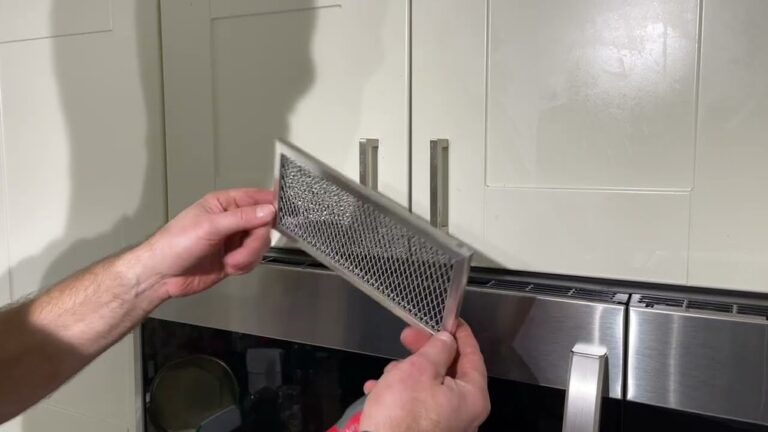
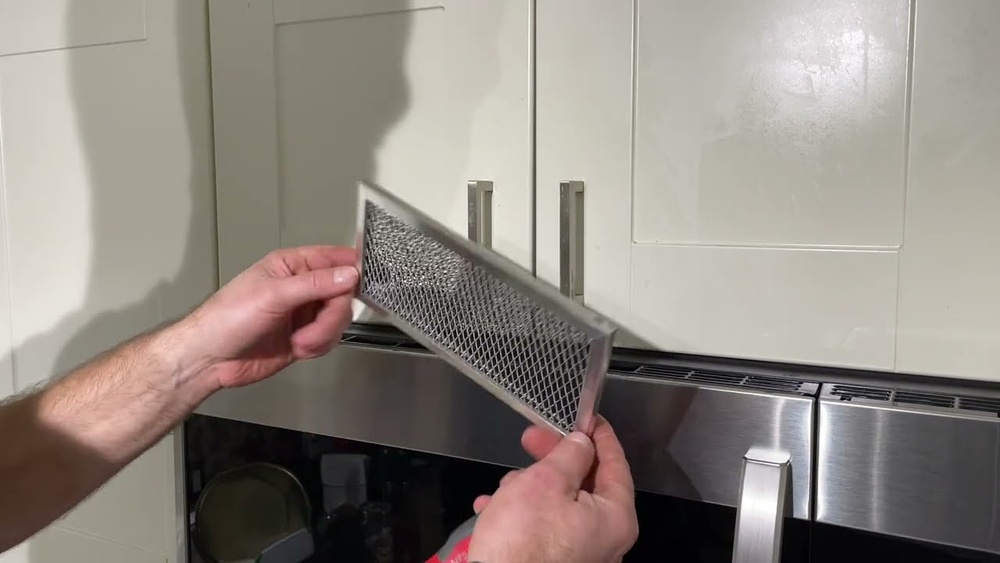
Start by opening the microwave’s vent grille or filter cover, usually located above or behind the unit. The charcoal filter sits inside this compartment and can be easily accessed for removal and replacement.
Finding the charcoal filter in your Samsung microwave is the first step. This filter helps remove smoke and odors during cooking. Knowing its exact location makes replacement easier and faster.
Most Samsung microwaves have the charcoal filter hidden behind a cover. The filter sits near the vent area. It is important to identify this spot before starting the replacement process.
Filter Placement In Samsung Microwaves
The charcoal filter is usually placed on the top or the back of the microwave. It sits behind a small grille or cover. This position helps it trap odors effectively while cooking.
Some models have the filter inside the vent area above the microwave door. Others place it at the bottom near the base. Check your microwave’s manual if unsure.
Accessing The Filter Cover
To reach the charcoal filter, locate the filter cover first. It often has clips or screws holding it in place. Use a screwdriver if needed to remove the cover safely.
Once the cover is removed, the charcoal filter will be visible. Gently pull out the old filter to replace it with a new one. Make sure to secure the cover back firmly after replacement.

Credit: www.amazon.com
Removing The Old Filter
Removing the old charcoal filter from your Samsung microwave is the first step in keeping it fresh and efficient. This task is simple and requires no special tools. Start by accessing the filter area carefully. Proper removal ensures your microwave continues to work well and keeps cooking odors away.
Follow the steps below to remove the old filter safely and prepare for a new one.
Removing Screws And Grille
Locate the grille on the bottom or front of the microwave. Use a screwdriver to remove the screws holding it in place. Keep the screws safe for reinstalling later. Gently pull the grille away to expose the filter compartment. Be careful not to damage the grille or microwave surface.
Taking Out The Used Filter
The charcoal filter sits behind the grille. Slide or pull the filter out of its slot. Some filters have clips or tabs; press or release them to remove the filter easily. Dispose of the old filter properly. Avoid touching the filter surface to prevent spreading dust or odors.
Installing The New Filter
Installing the new charcoal filter in your Samsung microwave is a simple but important step. It keeps your kitchen air fresh and helps your microwave work efficiently. Follow the steps carefully to fit the filter correctly.
Proper Filter Orientation
Check the new filter for any arrows or markings. These show the correct direction to place it. Insert the filter with the side marked “front” or with arrows facing outward. This ensures the filter captures smoke and odors properly. Avoid forcing the filter in; it should fit snugly but easily.
Securing The Filter And Grille
Once the filter is in place, align the grille or cover back over it. Press the grille gently until it clicks or locks into position. If screws hold the grille, tighten them carefully without over-tightening. A secure grille keeps the filter steady and your microwave safe to use.

Credit: www.amazon.com
Resetting Filter Status
Resetting the filter status is an important step after changing the charcoal filter in your Samsung microwave. This action tells the microwave that the filter has been replaced. It helps keep the filter reminder accurate. Without resetting, the microwave may continue to show a filter replacement alert. Resetting is quick and simple. It can be done using the microwave’s control panel.
Using Control Panel
First, turn on your Samsung microwave. Locate the control panel on the front. Find the “Filter Reset” button or option. Press and hold this button for about 3 seconds. You may hear a beep or see the display change. This confirms the filter status has been reset. Some models may require you to press “Stop/Cancel” after holding the reset button. Check your microwave’s manual if unsure. This step clears the old filter reminder.
Confirming Reset
After resetting, watch the microwave’s display. The filter replacement icon or message should disappear. Run the microwave for a few seconds to ensure normal function. If the alert returns, repeat the reset steps. Confirming the reset ensures the microwave tracks the new filter properly. This helps maintain good air quality during cooking. It also prevents unnecessary filter change alerts.
Maintenance Tips
Proper maintenance keeps your Samsung microwave working well. Clean filters help your microwave vent odors and smoke effectively. Regular care extends your microwave’s life and improves kitchen air quality.
Cleaning Grease Filters
Grease filters trap oil and food particles from cooking. Remove the filter carefully from the microwave. Wash it with warm water and mild dish soap. Use a soft brush to remove stuck grease. Rinse well and let it dry completely before reinstalling. Clean these filters every two weeks for best results.
Filter Replacement Frequency
Charcoal filters absorb smells and smoke inside the microwave. These filters cannot be cleaned and must be replaced. Change the charcoal filter every six months or sooner if you notice odors. Check your user manual for the exact filter model. Replace the filter promptly to keep your microwave fresh and efficient.

Credit: www.youtube.com
Frequently Asked Questions
How To Remove Charcoal Filter On Samsung Microwave?
Unplug the microwave and remove the top vent grille screws. Slide the charcoal filter forward and pull it out. Replace with a new filter and reattach the grille. Plug in the microwave and reset the filter indicator if needed.
Does The Samsung Microwave Have A Charcoal Filter?
Yes, many Samsung microwaves include a replaceable charcoal filter. It helps reduce odors during cooking. Check your model for filter type and replacement instructions.
How To Replace A Charcoal Filter In A Microwave?
Unplug the microwave and remove screws from the vent grille. Slide out the old charcoal filter carefully. Insert the new filter securely. Replace the grille and screws. Plug the microwave back in. Reset the filter indicator if your model has one.
Conclusion
Changing the charcoal filter in your Samsung microwave keeps it working well. Regular replacement helps remove odors and improves air quality. Follow the simple steps to open the filter door and swap the old filter for a new one. This small task saves you time and keeps your kitchen fresh.
Remember to check the filter every few months for best results. Taking care of your microwave this way ensures it lasts longer and performs better. Easy to do, and worth the effort.