How to Reset Ge Microwave: Quick and Easy Step-by-Step Guide
Is your GE microwave acting up or stuck on an error? You don’t have to stress or rush to call a technician just yet.
Knowing how to reset your GE microwave can save you time, frustration, and even money. Whether your microwave’s touchpad is frozen, the filter light won’t turn off, or it’s simply not responding, a quick reset might be all it takes to get things back to normal.
In this guide, you’ll discover simple step-by-step methods—from soft resets that clear minor glitches to hard resets that reboot your entire system. Ready to bring your microwave back to life? Keep reading to learn exactly how to reset your GE microwave with easy, effective tips you can do yourself.
Credit: www.partstown.com
Soft Reset
A soft reset is the quickest way to fix minor problems on your GE microwave. It refreshes the control panel and clears small errors. This reset does not erase any saved settings or programs. It helps the microwave return to normal working order without unplugging it.
Cancel Programs
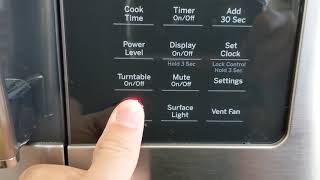
Press the “Off/Clear” button to stop any running program. This action cancels the current cooking cycle immediately. It also clears any command that the microwave may be processing. Use this step if the microwave is stuck or not responding.
Clear Messages
Soft reset can remove error messages on the display screen. Press the “Off/Clear” button once or twice until the message disappears. This clears minor faults that do not need a full reset. After clearing, the microwave should be ready to use again.
Credit: www.youtube.com
Hard Reset
A hard reset can fix many issues with your GE microwave. This process clears the internal memory and stops glitches. It is a simple power cycle that refreshes the microwave’s system. Follow these easy steps to perform a hard reset safely and correctly.
Unplug Microwave
First, unplug the microwave from the wall outlet. This cuts power completely and resets the electronics. If you cannot reach the plug, turn off the circuit breaker that controls the microwave.
Wait And Reconnect
Wait at least one minute before plugging the microwave back in. This pause allows the microwave to fully reset. After waiting, reconnect the power by plugging it back in or switching the breaker on.
Reset Clock
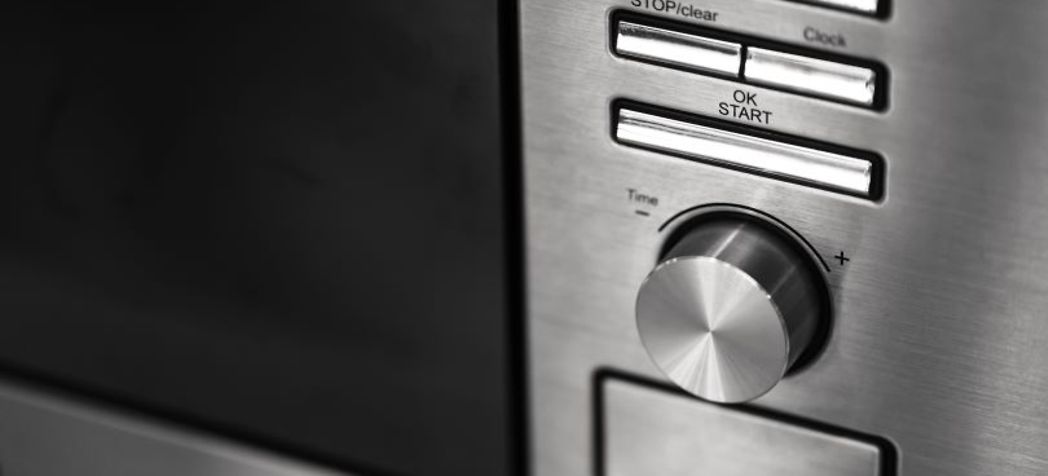
The microwave clock will need to be set again after a hard reset. Press the “Clock” button and use the dial to set the correct time. This step ensures the microwave functions properly and shows the right time.
Reset Filter Light
The filter light on a GE microwave alerts you when the filter needs attention. It helps keep the microwave running smoothly. Resetting this light after cleaning or replacing the filter is important. This section explains easy ways to reset the filter light.
Power Cycle Method
Unplug the microwave from the power outlet. Wait about one minute. Plug it back in to reset the system. This method clears minor errors and may reset the filter light. If the light stays on, try other methods.
Filter Replacement Reminder
The filter light signals when filters need cleaning or replacement. Replace the grease or charcoal filter if needed. After changing, press the “Filter Reset” button or hold down the “Off/Clear” button for a few seconds. This resets the reminder light. Regular filter care extends microwave life.

Credit: removeandreplace.com
Factory Reset For Over-the-range Models
Resetting your GE over-the-range microwave to factory settings can fix many issues. This process clears all custom settings and returns the microwave to its original state. It helps resolve glitches and improves performance.
Follow these simple steps to perform a factory reset on your over-the-range model. The instructions are easy to follow and require no special tools.
Access Settings Menu
First, locate the “Settings” button on your microwave control panel. Press this button to open the settings menu.
Use the arrow keys or dial to scroll through the options. Look for the “Factory Reset” or “Reset” option in the menu. Select it by pressing the “Start” or “OK” button.
Perform Factory Reset
After selecting the factory reset option, the microwave will ask for confirmation. Confirm by pressing “Start” or “OK” again.
The microwave will now erase all saved settings and return to default factory settings. This process may take a few moments.
Once complete, the microwave will restart and show the initial setup screen. Set your preferences as needed to start using it again.
Troubleshooting Touchpad Issues
Troubleshooting touchpad issues on your GE microwave can help restore proper function quickly. The touchpad controls many microwave features, so problems here affect usability. Start by checking simple fixes before considering part replacements.
Clean Touchpad Surface
Dirt, grease, or moisture can block touchpad signals. Use a soft, damp cloth to wipe the surface gently. Avoid harsh chemicals or soaking the area. Dry the touchpad fully before testing. Regular cleaning prevents buildup and maintains sensitivity.
Check Ribbon Cable
The ribbon cable links the touchpad to the control board. A loose or damaged cable causes unresponsive buttons. Unplug the microwave and open the control panel carefully. Locate the ribbon cable and ensure it is firmly connected. Replace the cable if it looks worn or torn.
Replace Membrane Or Control Board
If cleaning and cable checks fail, the membrane or control board may be faulty. The membrane is the touch-sensitive layer beneath the buttons. The control board processes signals and runs the microwave. Order exact replacement parts for your model. Follow instructions to install parts safely or hire a professional technician.
When To Seek Professional Help
Resetting your GE microwave can solve many common issues. Sometimes, problems persist despite your efforts. At these times, professional help is necessary. A technician can safely diagnose and fix complex faults. Knowing when to call an expert keeps you safe and protects your appliance.
Faulty Door Switch
The door switch ensures the microwave only runs when the door is closed. If the microwave won’t start or stops suddenly, the door switch might be broken. This part is delicate and hard to replace without tools. A professional can test and fix the door switch safely.
Blown Fuse
A blown fuse can cause the microwave to lose power completely. It often happens due to electrical surges or internal faults. Checking and replacing a fuse requires opening the microwave’s casing. Experts have the right equipment and knowledge to handle this safely.
Persistent Malfunctions
Some microwave problems return after resetting. These include display errors, strange noises, or uneven heating. Such issues may signal deeper electrical or mechanical faults. Professionals can run detailed diagnostics and repair these persistent malfunctions effectively.
Frequently Asked Questions
How Do I Do A Hard Reset On My Ge Microwave?
Unplug your GE microwave from the power outlet for one minute. Plug it back in and reset the clock using the “Clock” button. This power cycle performs a hard reset, resolving most issues.
Is There A Hard Reset For A Microwave?
Yes, you can hard reset a microwave by unplugging it for 1-2 minutes, then plugging it back in. Reset the clock afterward. This power cycle clears glitches and unresponsive controls effectively. For some models, a factory reset option exists in the settings menu.
How Do I Reset My Ge Microwave Touchpad?
Press the Off/Clear button to cancel programs. For a hard reset, unplug the microwave for one minute, then plug it back in. Reset the clock by pressing Clock, entering the time, and pressing Start. Clean the touchpad if it remains unresponsive.
Conclusion
Resetting your GE microwave is simple and quick. Start with a soft reset by pressing the Off/Clear button. For tougher problems, unplug the microwave for a minute, then plug it back in to perform a hard reset. Don’t forget to reset the clock after powering it back on.
If the filter light stays on, use the power cycle method or check the settings for a factory reset on advanced models. Persistent issues may need professional help. Regular resets can keep your microwave running smoothly and avoid common errors.