How to Use the Samsung Microwave Oven: Easy Steps for Perfect Meals
Using your Samsung microwave oven doesn’t have to be confusing. Whether you want to quickly reheat leftovers, defrost frozen meals, or cook from scratch, knowing how to use your microwave correctly can save you time and make your kitchen routine easier.
In this guide, you’ll learn simple steps and useful tips to get the best results every time. Ready to unlock the full potential of your Samsung microwave oven? Keep reading and discover how to make your cooking faster, easier, and more enjoyable.
Credit: www.samsung.com
Getting Started
Starting with your Samsung microwave oven is simple. Understanding basic functions helps you cook quickly and safely. Follow these steps to get your microwave ready for use.
Each part has a clear purpose. Learn how to set the clock, use the controls, and adjust power levels. This makes your cooking experience smooth and effective.
Setting The Clock
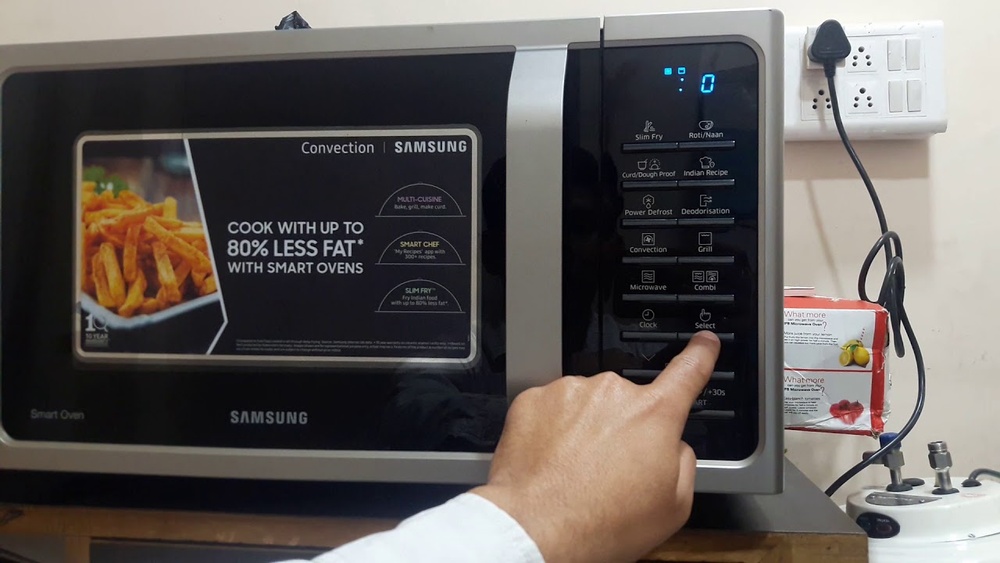
Press the clock button on your microwave panel. Use the number pad to enter the current time. Confirm by pressing the clock button again or start. The display will show the correct time for your kitchen.
Setting the clock ensures timers and cooking schedules work properly. It is the first step after plugging in your microwave.
Microwave Controls
Your Samsung microwave has easy-to-use controls. The main buttons include start, stop, and timer. Use the dial or keypad to choose cooking time. Press start to begin heating your food.
Some models offer presets for popcorn, beverages, or frozen meals. These presets save time by setting ideal cooking settings automatically.
Power Levels Explained
Power levels control how strong the microwave heats food. Level 10 is full power, good for quick cooking. Lower levels cook food gently or defrost without burning.
Use high power for boiling or reheating. Choose medium or low for delicate foods like eggs or bread. Adjusting power helps avoid overcooked or cold spots in meals.

Credit: www.samsung.com
Basic Cooking Steps
Using the auto functions on your Samsung microwave oven simplifies cooking. These features adjust time and power automatically. They help cook or defrost food evenly and quickly. You do not need to guess the settings. Just select the right auto function, and the microwave does the rest.
Auto Defrost
Auto Defrost lets you thaw frozen food easily. Choose the food type and weight on the microwave panel. The oven calculates the perfect defrost time. It prevents overcooking edges and keeps the inside soft. This function saves time and effort in thawing.
Auto Cook Modes
Auto Cook Modes include preset programs for common dishes. Options like popcorn, vegetables, or pizza are available. Pick a mode, and the microwave sets the right heat and time. It ensures your food cooks thoroughly without extra steps. This feature is perfect for quick and simple meals.
Sensor Cook Features
Sensor Cook uses built-in sensors to monitor food moisture and temperature. The microwave adjusts cooking time automatically. It stops when your food is perfectly done. This feature prevents undercooking or burning. Sensor Cook is ideal for reheating leftovers or cooking meals without guessing times.
Using Auto Functions
Using the right accessories in your Samsung microwave oven improves cooking results and safety. Accessories help distribute heat evenly and make cooking more efficient. They also protect your microwave from spills and splatters. Understanding which accessories to use ensures your food cooks properly and your microwave stays clean.
Compatible Cookware
Choose cookware that is safe for microwave use. Glass, ceramic, and microwave-safe plastic containers work best. Avoid metal containers as they cause sparks and damage. Use containers labeled microwave safe for best results. Always check for any cracks or damage before use. This prevents accidents and uneven cooking.
Using Racks And Trays
Samsung microwaves often come with racks or trays to cook multiple items. Place the rack properly to allow heat circulation. Do not use metal racks unless the microwave manual says it is safe. Use trays made for microwaves to catch drips and spills. This keeps your microwave clean and your food evenly cooked.

Credit: www.youtube.com
Advanced Cooking Options
Proper maintenance keeps your Samsung microwave oven working well for years. Simple care steps protect its parts and improve cooking results. Follow these tips to maintain your microwave easily and safely.
Cleaning The Microwave
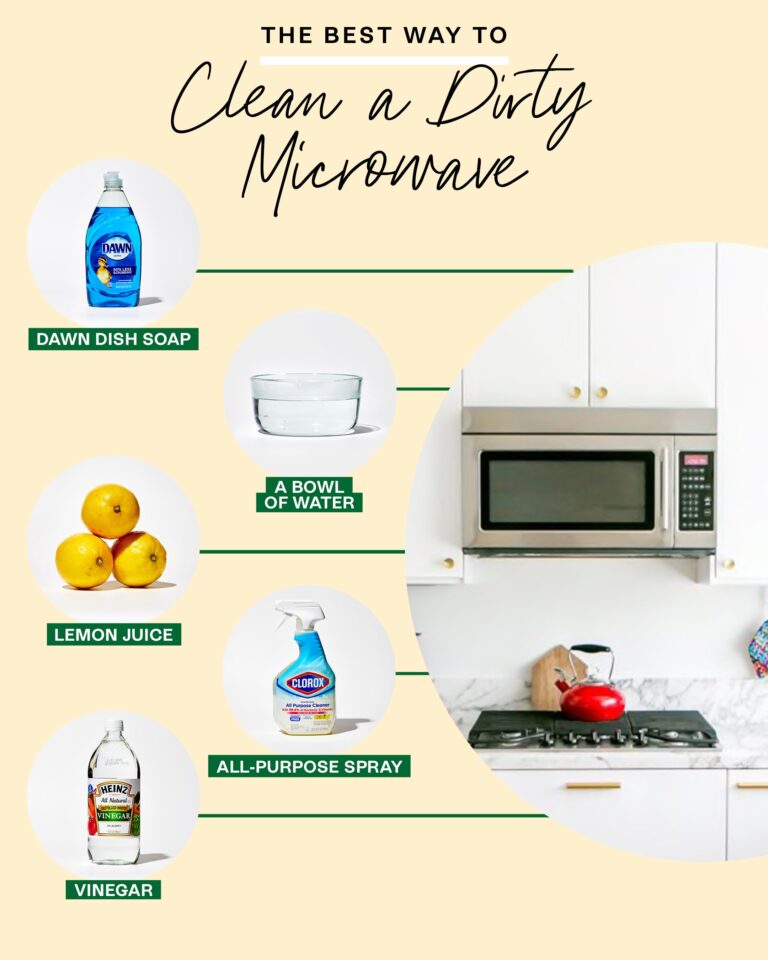
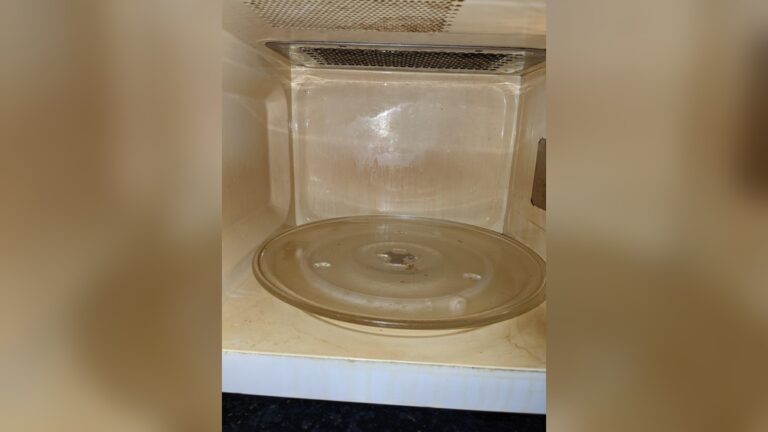
Clean your microwave regularly to avoid smells and stains. Use a soft cloth with mild soap and water. Wipe the inside and outside gently. Remove the turntable and wash it separately. Avoid harsh cleaners that can damage the surface. For tough stains, heat a bowl of water with lemon juice inside for five minutes, then wipe clean.
Checking Door And Seals
Check the door and seals often to keep heat inside. Make sure the door closes tightly without gaps. Look for cracks or damage on the seals. Clean the seals with a damp cloth to remove dirt. Broken seals can cause heat loss and reduce cooking efficiency. Replace any damaged parts promptly for safe use.
Avoiding Common Issues
Prevent common problems by using the microwave correctly. Do not run it empty, as this can damage the magnetron. Avoid metal containers or aluminum foil inside the microwave. Use microwave-safe dishes only. Do not block air vents to prevent overheating. Regular checks and careful use extend your microwave’s life.
Microwave Accessories
Troubleshooting your Samsung microwave oven can solve many common problems quickly. Knowing simple fixes saves time and avoids frustration. This section covers basic issues and how to handle them.
Microwave Not Heating
Check if the microwave runs but does not heat food. This often means a problem with the magnetron or door switch. First, ensure the door is fully closed. A faulty door switch stops heating for safety.
Unplug the microwave for a few minutes, then plug it back in. Sometimes, this resets the internal system. If it still does not heat, the magnetron might be defective. Avoid repairing this yourself. Contact a professional technician.
Demo Mode Settings
Your Samsung microwave may be in demo mode. This mode shows features but disables heating. Check the display for “Demo” or similar text. To exit demo mode, press and hold the “Stop/Clear” button for 3 seconds.
Some models use a combination of buttons to turn off demo mode. Refer to your user manual for exact steps. Exiting demo mode restores normal cooking functions quickly and easily.
When To Contact Support
If your microwave shows error codes, makes unusual noises, or fails to operate, contact Samsung support. Do not try to open or fix electrical parts. Support can provide safe, professional assistance.
Always have your model number and purchase details ready. This helps the support team give fast and accurate advice. Timely contact ensures your microwave is repaired correctly and lasts longer.
Maintenance Tips
Safety is a top priority when using the Samsung microwave oven. Following simple guidelines helps protect you and your family. It also keeps your appliance in good condition for a long time.
Proper Usage Tips
Always use microwave-safe containers. Avoid metal or aluminum foil inside the microwave. Place food in the center of the turntable for even cooking. Do not operate the microwave when it is empty. Clean the interior regularly to prevent food buildup. Follow the user manual for correct cooking times and power levels.
Avoiding Hazards
Do not use damaged or cracked containers. Avoid overheating liquids to prevent burns or spills. Keep the microwave door closed properly during use. Do not force the door open while the microwave runs. Unplug the oven before cleaning or repairing. Keep the microwave away from water to prevent electric shocks.
Child Safety Features
Samsung microwaves include child lock functions to stop accidental use. Activate the child lock to disable buttons temporarily. This feature helps prevent burns and injuries. Keep the microwave out of reach of young children. Teach older children the correct and safe way to use the oven.
Frequently Asked Questions
How Do I Use A Samsung Microwave?
Place food inside, close the door securely. Turn the top dial to set cooking time. Press the start button. Use presets or adjust power levels for different foods. Monitor cooking progress and stop if needed. Clean the microwave regularly for best performance.
How Do I Get My Samsung Microwave To Work?
Plug in your Samsung microwave and close the door securely. Set cooking time using the dial or keypad. Press Start to begin. Ensure the door is properly closed and the microwave is not in Demo mode. Check for any error lights or sounds before use.
How To Use A Microwave Step By Step?
Open the microwave door and place food inside. Close the door securely. Set cooking time using the dial or keypad. Choose power level if needed. Press start to begin heating. Wait until the timer ends, then carefully remove the food.
Clean the microwave after use.
Conclusion
Using the Samsung microwave oven is simple and saves time. Just set the cooking mode or time, place your food inside, and start. The built-in presets help cook many dishes easily. Always keep the microwave clean for better performance. Follow safety tips to avoid accidents.
Enjoy quick, warm meals every day with your Samsung microwave oven.