How Do You Unlock a Panasonic Genius Microwave: Easy Step-by-Step Guide
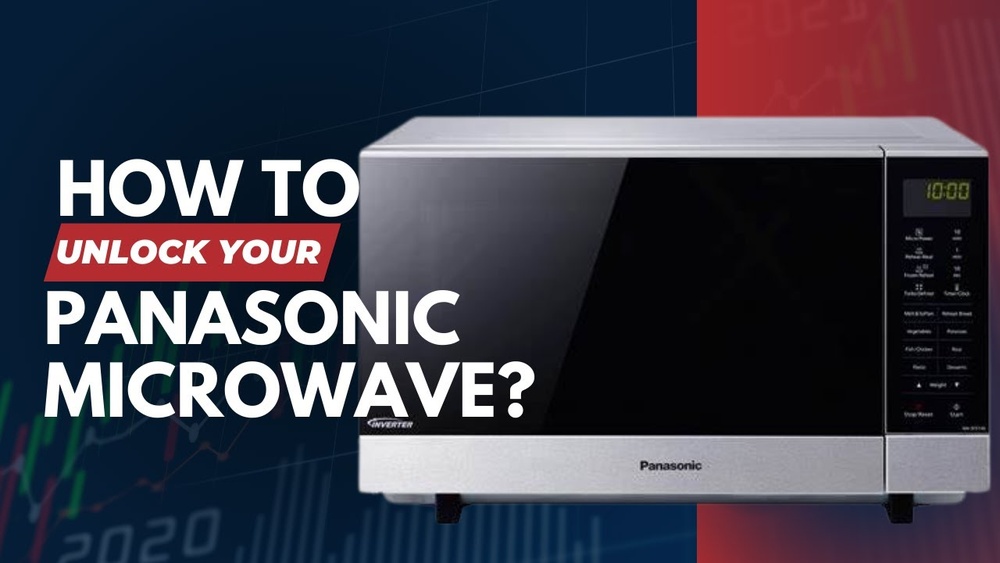
Have you ever tried to use your Panasonic Genius Microwave only to find it locked and unresponsive? It can be really frustrating when your microwave’s control panel won’t work, especially if you’re in a hurry.
Luckily, unlocking your Panasonic Genius Microwave is easier than you might think. Whether the child safety lock was accidentally activated or the panel is frozen, this guide will walk you through simple, step-by-step methods to get your microwave back in action quickly.
Keep reading, and you’ll discover quick tricks and proven tips that will save you time and frustration—so you can start cooking again without any hassle.

Credit: www.youtube.com
Unlock Basics
Unlocking your Panasonic Genius microwave is simple once you understand the basic steps. The microwave includes a safety feature to prevent accidental use. This feature can be turned off easily using a few button presses. Knowing these basics saves time and avoids frustration.
Using Stop/reset Button
The Stop/Reset button is key to unlocking many Panasonic Genius microwaves. Press this button once to pause or stop cooking. To unlock, press the Stop/Reset button three times in a row. This sequence clears the lock and restores normal use. Some models may vary, but this method works on most.
Common Button Press Patterns
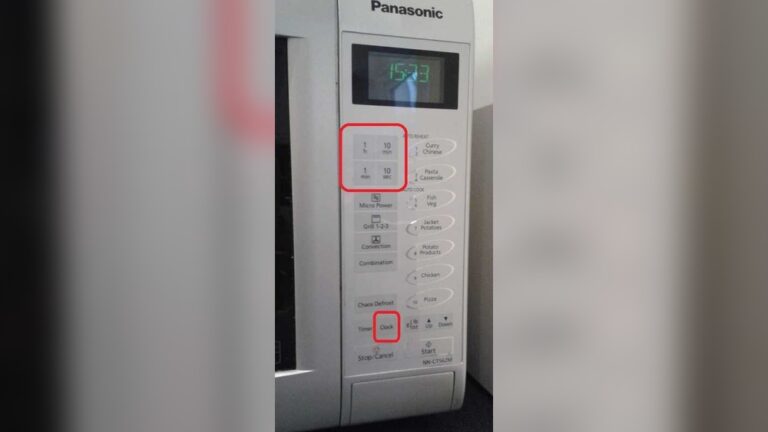
Besides the Stop/Reset button, other button combinations unlock the microwave. One common pattern is pressing the Auto Defrost, Timer, and Popcorn buttons in order. This sequence can disable or enable the lock depending on your microwave’s model. Another method involves holding the Function button for a few seconds. These patterns help manage the child lock safely and easily.
Model-specific Unlock Methods
Different Panasonic Genius microwave models use various methods to lock and unlock the control panel. Understanding the specific unlocking steps for your model makes the process faster and easier. Some models rely on button sequences, while others use dedicated child lock buttons. This section explains key model-specific unlock methods to help you regain control quickly.
Auto Defrost, Timer, And Popcorn Sequence
Certain Panasonic Genius microwaves unlock by pressing a sequence of buttons. Start by clearing any active timer settings. Then press the Auto Defrost button, followed by the Timer button, and finally the Popcorn button. This combination disables the lock on many models. Repeat the same sequence to reactivate the lock if needed. This method works well for models without a dedicated child lock button.
Using The Function Button
Some models use the Function button to unlock the microwave. Press and hold this button for 3 to 5 seconds until the lock icon disappears. This action releases the control panel and lets you use all features again. The Function button method is simple and quick for models designed with this feature.
Dedicated Child Lock Buttons
Many Panasonic Genius microwaves have specific buttons or button pairs for locking and unlocking. Look for buttons labeled Child Lock, Lock, or a padlock symbol. Press and hold these buttons simultaneously for 3 to 5 seconds to toggle the lock status. This dedicated option provides clear control and prevents accidental locking or unlocking.
Child Safety Lock
The child safety lock on a Panasonic Genius microwave helps prevent accidental use. It stops children from starting the microwave by locking the control panel. This feature adds safety in homes with young kids. The lock is easy to activate and deactivate. Understanding how to control this lock makes using your microwave safer and more convenient.
Activating Child Lock
To activate the child lock, press and hold the “Stop/Reset” button for about 3 seconds. A beep will sound, and the control panel will lock. You cannot start the microwave until you unlock it. This prevents any button presses from working.
Some models may require pressing the “Stop/Reset” button three times quickly instead. The display will show a lock icon or the word “Lock” to confirm activation.
Deactivating Child Lock
To turn off the child lock, press and hold the “Stop/Reset” button again for 3 seconds. The beep will sound, and the lock icon will disappear. The control panel will respond normally.
If pressing once does not work, try pressing “Stop/Reset” three times quickly. This sequence often unlocks the panel on many Panasonic models.
When the lock is off, you can use all microwave functions as usual. This simple step keeps the microwave safe and easy to use.
Troubleshooting Tips
Troubleshooting a locked Panasonic Genius Microwave can be simple with the right steps. Many lock issues come from minor glitches or dirt on the control panel. Trying these basic tips often restores normal function quickly. Follow each carefully to avoid extra frustration.
Power Reset By Unplugging
Unplug the microwave from the power outlet. Wait for about 60 seconds to let the system reset. Plug it back in and check if the lock is gone. This process refreshes the control board and clears small errors.
Cleaning The Control Panel
Use a soft, damp cloth to clean the control panel gently. Dirt or moisture can cause buttons to stick or malfunction. Avoid harsh chemicals that might damage the surface. Keeping the panel clean helps prevent accidental locks.
Consulting User Manual
Refer to the user manual for your specific microwave model. The manual often has exact instructions to disable the child lock or reset settings. You can find a PDF version online by searching your model number. This step ensures you follow the correct method for your device.
Additional Unlock Options
Some Panasonic Genius microwave models have extra ways to unlock the control panel. These options help if the usual methods don’t work. They also offer a quick way to disable the lock without unplugging the unit. Below are two common additional unlock options you can try.
Timer Button Use
The Timer button can serve as a lock toggle on some Panasonic microwaves. First, press and hold the Timer button for about 3 seconds. You may see a beep or flashing display, indicating the lock is off. This method quickly clears the control lock without resetting the microwave.
To re-enable the lock, press and hold the Timer button again. The microwave then locks the control panel to prevent accidental use. This feature is useful for households with children or to avoid unwanted button presses.
Control Lock Button
Some Panasonic Genius models feature a dedicated Control Lock button. Look for a button marked with a lock symbol or labeled “Control Lock.” Press and hold this button for 3 to 5 seconds. The microwave will beep, and the lock icon disappears from the display.
Pressing and holding the Control Lock button again reactivates the lock. This option provides a clear and simple way to manage the child safety lock. If your microwave has this button, it is the most straightforward method for locking and unlocking.

Credit: shop.panasonic.com

Credit: shop.panasonic.com
Frequently Asked Questions
How To Unlock Panasonic The Genius Microwave?
Press the “Stop/Reset” button three times quickly to unlock most Panasonic Genius microwaves. If unresponsive, unplug for one minute to reset. For some models, clear the timer, then press “Auto Defrost,” “Timer,” and “Popcorn” buttons in sequence to disable the lock.
Check your manual for specifics.
How Do I Get My Microwave Out Of Lock Mode?
Press the “Stop/Reset” button three times quickly to unlock most Panasonic microwaves. For unresponsive panels, unplug for one minute, then plug back in. Clean the control panel gently if buttons stick. Check your model’s manual for specific unlocking instructions.
How Do I Turn Off Lock Mode On My Panasonic Microwave?
Press the “Stop/Reset” button three times consecutively to turn off lock mode on your Panasonic microwave. If unresponsive, unplug it for one minute, then plug back in to reset. Consult your model’s manual for specific instructions.
How Do I Unblock A Panasonic Microwave?
Press the “Stop/Reset” button three times to unlock most Panasonic microwaves. If unresponsive, unplug for one minute, then plug back in. For model-specific methods, try pressing “Auto Defrost,” “Timer,” then “Popcorn” buttons in sequence. Consult your manual if needed.
Conclusion
Unlocking a Panasonic Genius microwave is simple with the right steps. Press the Stop/Reset button multiple times or try the Auto Defrost, Timer, and Popcorn button sequence. If the microwave remains locked, unplug it briefly to reset the control board.
Keep the control panel clean to avoid stuck buttons. Always check your model’s manual for specific instructions. Following these tips helps you use your microwave smoothly and safely every day.