How to Unlock My Panasonic Microwave: Quick & Easy Solutions
Is your Panasonic microwave stuck in lock mode and leaving you frustrated? You’re not alone.
Many users accidentally activate the child safety lock or control lock and suddenly find their microwave unresponsive. But don’t worry—unlocking your Panasonic microwave is simpler than you might think. Whether you want to disable the child lock or reset the touch panel, this guide will walk you through easy, step-by-step methods to get your microwave working again in no time.
Keep reading, and you’ll be back to heating your meals without a hitch.
Common Lock Indicators
Microwaves often have a lock feature to prevent accidental use. Panasonic microwaves show clear signs when locked. Recognizing these signs helps to unlock the microwave quickly. Common lock indicators include symbols on the screen and specific control panel responses. Understanding these can save time and avoid confusion.
Child Lock Symbol
The child lock symbol usually looks like a small padlock or key. It appears on the microwave display when the lock is active. This symbol means the microwave buttons will not respond. The microwave door may also stay locked. Spotting this symbol confirms the microwave is locked for safety.
Control Panel Behavior
When the microwave is locked, pressing buttons will not start any function. The control panel may beep or flash to show it is locked. Some models disable all buttons except the stop/reset button. Touchscreen models may show a locked icon on the panel. This behavior prevents any cooking or timer settings from changing.

Credit: shop.panasonic.com
Quick Unlock Methods
Quick unlock methods help you regain control of your Panasonic microwave fast. These easy techniques prevent long waits or frustration. Use simple button presses to remove the lock and start cooking again. Try these quick tricks to solve the problem instantly.
Triple Press Stop/reset
Press the Stop/Reset button three times in a row. This action usually clears the lock. Wait a few seconds after pressing. The microwave should show the lock icon disappearing. This method works on many Panasonic models.
Start And Stop Button Sequence
Press the Start button three times quickly. Then press the Stop/Reset button three times. This sequence often toggles the child lock off. Make sure you press the buttons fast. The microwave screen will confirm the unlock.
Defrost Timer Popcorn Combo
Clear any current settings first by pressing Stop/Reset once. Then press Defrost, Timer, and Popcorn buttons in that order. This button combo switches the lock mode. Wait for the lock icon to vanish. This works on touch panel models.
Model-specific Unlock Codes
Panasonic microwaves use model-specific unlock codes. These codes help disable the child safety lock or reset the control panel. Each model may have a unique unlocking method. Knowing your microwave’s type ensures you apply the correct code. This section explains common unlock codes for different Panasonic models.
Touch Panel Models
Touch panel Panasonic microwaves often use button sequences to unlock. Press the Stop/Reset button three times quickly. The “LOCK” icon should disappear. Another way is pressing Start three times, then Stop/Reset three times. This toggles the lock on and off.
Clearing any current settings before using the code helps. For some models, press Defrost, then Timer, and finally Popcorn. This sequence can also turn off the lock.
Older Panasonic Models
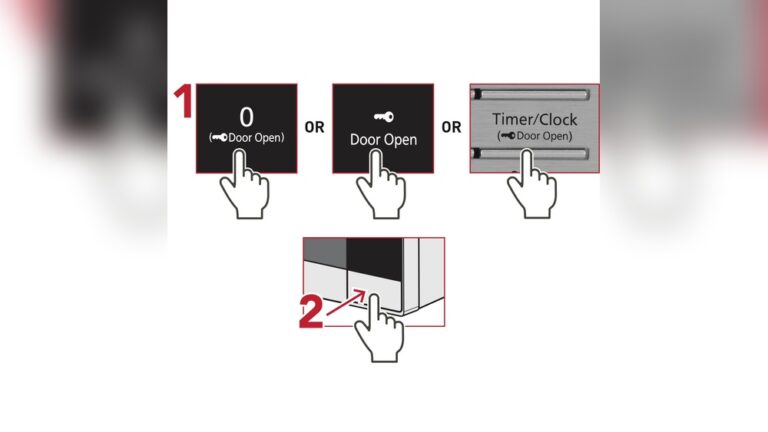
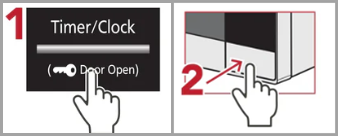
Older Panasonic microwaves may have a physical button or dial for locking. Check if the Child Lock or Control Lock button exists. Hold it down for 3 to 5 seconds to unlock.
If your model has no lock button, try unplugging the microwave for a few minutes. Plug it back in to reset the system. This can clear the lock state in many older models.
Credit: help.na.panasonic.com
Using The Child Safety Lock
Using the child safety lock on your Panasonic microwave helps prevent accidental use. It blocks the microwave’s buttons so kids cannot start or change settings. This feature keeps your kitchen safer and your microwave protected. Activating and deactivating the lock is simple and quick.
Activating The Lock
To activate the child safety lock, press the Stop/Reset button three times fast. A lock icon will show on the screen. This confirms the control panel is locked. Now, no buttons will work except the Stop/Reset button. The microwave will not start until you unlock it.
Deactivating The Lock
To turn off the child safety lock, press the Stop/Reset button three times again. The lock icon will disappear from the display. The microwave buttons become active and ready to use. Make sure to unlock it before cooking or reheating food.
Troubleshooting Unlock Issues
Microwave locks can cause frustration. Sometimes the keypad stops working, or the door won’t open. These issues need quick fixes to resume cooking. Troubleshooting unlock problems helps save time and avoid unnecessary repairs.
Understanding simple steps can solve most lock problems. Start by checking common causes before moving to advanced solutions. This approach keeps your microwave safe and functional.
Check For Panel Obstructions
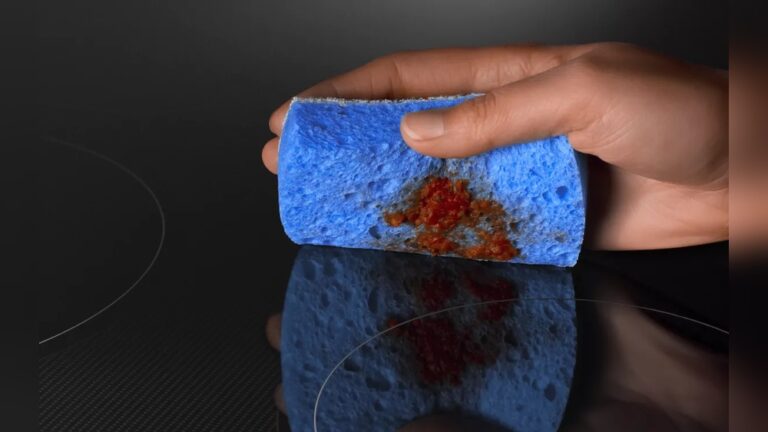
Dirty or wet control panels often block the microwave from unlocking. Wipe the panel gently with a soft, dry cloth. Remove any grease, dust, or food particles that may cause sensor errors. Avoid pressing buttons with wet hands to prevent moisture buildup. Clear panels respond better to touch commands.
Resetting The Microwave
Resetting the microwave can clear electronic glitches. Unplug the appliance from the power outlet. Wait for about one minute to let the system reset fully. Plug the microwave back in and try unlocking it again. This simple step often restores normal function without complex fixes.
Consulting The User Manual
The user manual contains specific instructions for your Panasonic model. Look for the section about child lock or control panel locks. Follow the exact button presses recommended by Panasonic. Manuals also explain error codes and warning signs. Keep the manual handy for future reference.
Preventing Future Lockouts
Preventing future lockouts on your Panasonic microwave saves time and frustration. Simple habits keep your appliance working smoothly. Follow easy steps to avoid accidental locks and ensure safe use.
Avoiding Accidental Locks
Press buttons carefully to prevent locking the microwave by mistake. Avoid pressing the Stop/Reset button three times quickly unless you want to lock it. Keep children from playing with the control panel. Use the child lock feature only when necessary and turn it off after use. Regularly check the control panel for stuck or damaged buttons. Clean the panel gently with a dry cloth to avoid triggering the lock.
Safe Usage Tips
Always follow the microwave’s user manual instructions. Do not slam the door or force it open. Use microwave-safe containers to prevent damage. Avoid spilling liquids on the control panel. If spills happen, wipe them immediately and dry the panel completely. Keep the microwave in a dry place to prevent moisture buildup. Regular maintenance and cleaning help maintain proper function and reduce lockouts.
When To Contact Support
Sometimes, the usual steps to unlock your Panasonic microwave do not work. The lock might stay on despite pressing the right buttons. At this point, contacting support is the safest choice. Support teams have the tools and knowledge to fix complex problems. They help avoid damage and keep your microwave safe to use.
Persistent Lock Problems
When the microwave lock stays active for a long time, it signals a deeper issue. The control panel may have a fault or the software might be stuck. Trying to force the microwave open can cause damage. Support can guide you through advanced troubleshooting. They also tell you if a reset or update is needed.
Professional Repair Options
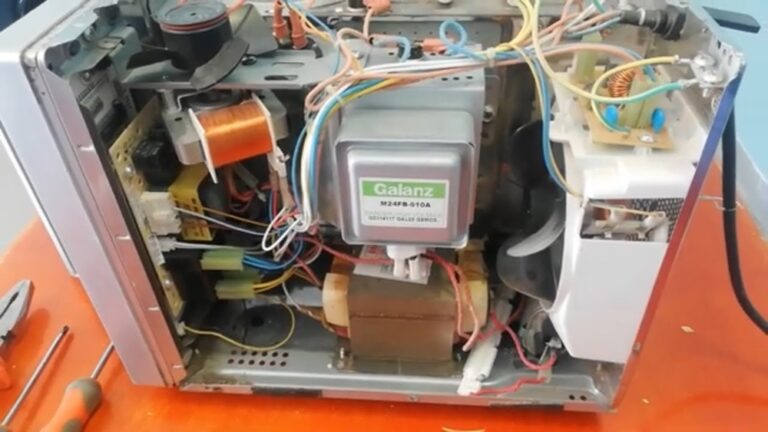
Microwave repair requires skill and special parts. Support can recommend authorized service centers near you. These centers have trained technicians who know Panasonic models well. They can replace broken buttons, fix circuit boards, or handle sensor issues. Professional repair ensures your microwave stays safe and lasts longer.

Credit: www.youtube.com
Frequently Asked Questions
How Do I Get My Panasonic Microwave Out Of Lock Mode?
Press the Stop/Reset button three times quickly to unlock your Panasonic microwave. For touch panel models, press Start three times, then Stop/Reset three times. Clean the control panel if it remains locked. Refer to your manual for model-specific instructions.
How Do You Get A Microwave Out Of Lock Mode?
Press the Stop/Reset button three times quickly to unlock most microwaves. For touch panels, try pressing Start three times, then Stop/Reset three times. Clean the control panel if unresponsive. Check your microwave’s manual for model-specific instructions.
How To Open A Microwave Door If Locked?
Press the Stop/Reset button three times quickly to unlock most Panasonic microwaves. For touch panels, try pressing Start three times, then Stop/Reset three times. Clean the control panel if unresponsive. Consult your user manual for model-specific instructions. Avoid forcing the door to prevent damage.
Why Won’t My Panasonic Microwave Door Open?
Your Panasonic microwave door may not open due to an active child lock or a faulty latch. Press the Stop/Reset button three times to unlock. Clean the control panel to ensure touch sensors work properly. Consult your manual for model-specific unlocking instructions.
Conclusion
Unlocking your Panasonic microwave is simple with the right steps. Most models use a quick button press, like triple tapping Stop/Reset. Always check your microwave’s display for a lock icon to confirm the status. Keep the control panel clean to avoid sensor issues.
When stuck, the user manual can guide you with exact instructions. These tips help you regain control of your microwave easily. Enjoy cooking without delays or frustration!