How to Unlock Panasonic Inverter Microwave: Easy Steps Revealed

Is your Panasonic Inverter Microwave stuck on lock mode, leaving you unable to use it? You’re not alone, and unlocking it is easier than you think.
Whether the child safety lock was accidentally activated or the control panel seems frozen, you don’t have to worry or call a repair technician just yet. In this guide, you’ll discover simple, step-by-step methods to unlock your Panasonic microwave quickly and safely.
Keep reading, and you’ll be back to heating your meals in no time!

Credit: shop.panasonic.com
Microwave Lock Reasons
Microwaves often lock for safety and operational reasons. This locking prevents accidents and protects the appliance. Understanding why a Panasonic inverter microwave locks helps solve the issue quickly. Some locks activate automatically, while others occur due to user settings or power changes. Knowing these reasons makes unlocking easier.
Child Safety Features
Many Panasonic microwaves include a child safety lock. It stops children from using the microwave unsupervised. This feature locks the control panel and door. Parents activate it to avoid accidents. Sometimes, the lock stays on after use. This causes confusion but ensures safety.
Accidental Activation
Buttons can be pressed by mistake. This may happen during cleaning or moving the microwave. Accidental activation of the lock is common. The microwave then stops working normally. The display might show a lock icon or message. Users may not realize the lock is active.
Power Interruptions
Power outages or unplugging the microwave can trigger a lock. The microwave resets and activates the safety lock. This protects the appliance and prevents errors. After power returns, the microwave may need unlocking. This ensures it works safely and correctly.
Identifying Lock Indicators
Identifying lock indicators on your Panasonic inverter microwave is the first step to solving locking issues. These indicators show whether the control panel or door is locked. Recognizing these signs helps you understand the problem and what to do next.
Lock Symbols On Display
Most Panasonic microwaves show a lock symbol on the display when locked. This symbol looks like a small padlock icon. It appears near the time or cooking settings. Sometimes the display might flash or show “LOC” or “LOCK.” These signals confirm the microwave is in lock mode. Paying attention to the display helps you know if the lock is active.
Control Panel Behavior
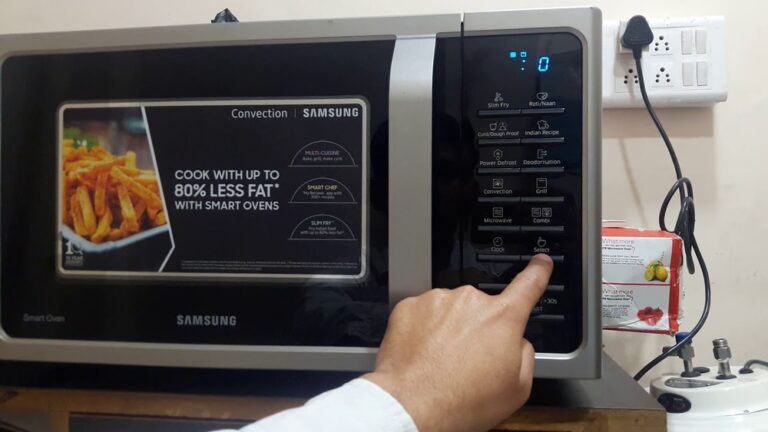
When the microwave locks, the control panel buttons may stop working. Pressing any button will not start cooking or change settings. Sometimes, the panel may beep or flash lights. This behavior means the control lock is on. The microwave prevents accidental use, often for child safety. Noticing these signs guides you to unlock the panel correctly.
Basic Unlock Methods
Basic unlock methods for a Panasonic inverter microwave are simple to try. These methods can quickly disable the lock feature. Most Panasonic microwaves have easy-to-use buttons that control the lock. Knowing which buttons to press helps you save time and avoid frustration.
Using Stop/reset Button
Press the Stop or Reset button once. Hold it for about 3 to 5 seconds. The microwave should beep or show a message. This action usually clears the lock mode. After that, you can use the microwave as normal.
Pressing And Holding Clear/off
Find the Clear or Off button on the control panel. Press and hold this button for 3 to 5 seconds. The lock symbol or light should turn off. This method works on many Panasonic models. It quickly disables the child lock or control lock.
Control Lock Button
Some models have a dedicated Control Lock button. Press and hold this button for a few seconds. The microwave will beep to confirm the unlock. If your microwave has this button, it is the easiest way to unlock. Check your control panel carefully to find it.

Credit: shop.panasonic.com
Model-specific Unlock Steps
Unlocking a Panasonic microwave depends on the model you own. Each type has its own way to disable the lock feature. Knowing the exact steps saves time and avoids frustration. Follow these model-specific instructions for smooth use.
Standard Panasonic Models
Most standard Panasonic microwaves use a simple lock system. Press and hold the “Stop/Cancel” button for about 3 seconds. You will hear a beep or see the lock icon disappear. This means the microwave is now unlocked and ready to use.
To lock it again, press and hold the same button for 3 seconds. This quick method works for many basic Panasonic models.
Inverter Microwave Models
Inverter models have a slightly different process. Find the “Control Lock” or “Child Lock” button on the control panel. Press and hold this button for 5 seconds. A beep confirms the lock is off. The display usually clears the lock icon too.
Repeat to lock the microwave. These models focus on safety, so the lock prevents accidental use by children.
Over-the-range Microwaves
Over-the-range Panasonic microwaves often combine the lock with the timer function. Press and hold the “Timer” or “Kitchen Timer” button for 3 to 5 seconds. The lock icon will vanish from the screen.
If this does not work, try pressing “Stop/Cancel” and “Timer” buttons together for a few seconds. Consult the manual for your exact model if needed. These microwaves may have slight variations.
Troubleshooting Locked Microwave
Sometimes, your Panasonic inverter microwave may become locked, stopping normal use. Troubleshooting the locked microwave can help restore its functions quickly. This section covers simple steps to identify and fix common locking issues. Follow these easy tips to get your microwave working again without stress.
Checking User Manual
Start by reviewing the microwave’s user manual. Each model has specific instructions for locking and unlocking. The manual explains the exact button combinations to disable the lock. It also describes error codes or signals shown on the display. Keep the manual handy for quick reference during any problem.
Power Cycling The Microwave
Power cycling can reset the microwave’s control panel. Unplug the microwave from the power outlet. Wait for about one minute to let the internal system reset. Plug the microwave back in and check if the lock is removed. This simple step often fixes glitches causing the lock to stay on.
When Buttons Don’t Respond
If the control panel buttons do not respond, the microwave might be frozen. Press and hold the “Stop/Cancel” button for a few seconds. This action can cancel any active lock or mode. If this fails, try power cycling again or consult the manual. Persistent issues may require professional service.

Credit: www.youtube.com
Disabling Child Lock Feature
The child lock feature on Panasonic inverter microwaves keeps the appliance safe from accidental use. It prevents children from starting or changing settings. Sometimes, disabling this feature is necessary to use the microwave normally. The process to turn off the child lock is simple and quick.
Activating And Deactivating Child Lock
To activate the child lock, press and hold the “Stop/Cancel” button for about 3 seconds. A lock icon will appear on the display, showing the feature is on. To deactivate, press and hold the same “Stop/Cancel” button again for 3 seconds. The lock icon will disappear, and the microwave will be ready to use.
Safety Precautions
Keep the child lock active if children are nearby. It helps avoid accidental burns or injuries. Always check the lock status before using the microwave. Never force the door open if it is locked. Follow the manufacturer’s instructions to avoid damage to the microwave.
Opening Microwave Door Manually
Sometimes, the microwave door may not open due to a lock or mechanical issue. Knowing how to open the door manually can help in these situations. This skill is useful when the automatic release fails or the microwave is locked. Follow simple steps to access the microwave safely and avoid damage.
Emergency Door Release
Most Panasonic inverter microwaves have an emergency door release inside. This release allows you to open the door manually in case of power failure or lock malfunction. Locate the small lever or button near the door latch inside the microwave cavity. Gently pull or push it to unlock the door.
Use a flashlight to see clearly inside the microwave. Do not force the door open, as this may break the latch. Always unplug the microwave before trying the emergency release. This prevents electric shock or accidental start of the microwave.
When Door Won’t Open
If the door does not open after trying the emergency release, check for any obstruction. Food spills or debris can block the latch and keep the door locked. Clean the edges carefully using a soft cloth and mild detergent. Avoid sharp tools to prevent damage.
Try pressing the Stop or Cancel button to reset the microwave lock. Sometimes, the control lock feature stops the door from opening. If the control panel is unresponsive, unplug the microwave for a few minutes. Plug it back in and try opening the door again.
In case the door still remains shut, contact a professional technician. They can safely open the microwave and fix the problem. Avoid using force or sharp objects to open the door yourself.
Preventing Future Lockouts
Preventing future lockouts on your Panasonic inverter microwave keeps it ready for use. Simple habits and care avoid the frustration of being locked out again. Following easy steps ensures smooth operation and extends your microwave’s life.
Regular Maintenance Tips
Clean the control panel regularly using a soft, damp cloth. Avoid harsh chemicals that can damage buttons and sensors. Check the door latch for debris that might cause locking issues. Keep the microwave dry inside and out to prevent electrical problems. Inspect the power cord for wear or damage to maintain safe use. Test the lock feature occasionally to ensure it works correctly. Replace worn or broken parts promptly to avoid malfunctions.
Avoiding Accidental Lock Activation
Know your microwave’s lock button location to prevent unintended presses. Teach family members how the lock works to reduce accidents. Do not press multiple buttons at once, which may trigger the lock. Avoid touching the control panel with wet or greasy hands. Use the microwave in a clear area to prevent objects from pressing buttons. Turn off the child lock feature if not needed. Store the manual nearby for quick reference on lock settings.
Frequently Asked Questions
How Do I Turn Off The Lock On My Panasonic Inverter Microwave?
Press and hold the “Stop/Cancel” button for 3 seconds. The lock icon will disappear, unlocking the microwave.
How Do You Unlock Your Panasonic Microwave?
Press and hold the Stop/Cancel button on your Panasonic microwave for about 3 seconds. The lock icon will disappear, unlocking the microwave. This disables the child lock feature, allowing you to open and use the microwave normally. Repeat to reactivate the lock.
How Do You Get A Microwave Out Of Lock Mode?
Press and hold the Stop/Cancel button for 3-5 seconds. The lock icon disappears, unlocking the microwave. Check your manual for model-specific steps.
Conclusion
Unlocking your Panasonic inverter microwave is simple once you know the steps. Always press the correct button combination shown in your manual. Avoid forcing the door to prevent damage. If the lock stays on, try unplugging the microwave for a few minutes.
Remember, each model may have slight differences. Following these tips helps you use your microwave safely and easily. Keep your manual handy for quick reference anytime. You can now enjoy hassle-free cooking with your Panasonic microwave.