How to Fix a Microwave Oven: Easy Steps to Save Your Appliance
Is your microwave oven acting up again? Maybe it won’t heat your food properly, the turntable has stopped spinning, or you’re hearing strange noises.
These common problems can be frustrating, especially when you rely on your microwave every day. But before you rush to buy a new one or call a repair service, there’s good news—you might be able to fix it yourself. You’ll discover simple, clear steps to troubleshoot and repair your microwave oven safely and effectively.
Keep reading to save time, avoid unnecessary costs, and get your microwave working like new again.
Common Microwave Problems
Heating problems are a common issue with microwave ovens. They can stop heating food properly or heat unevenly. Diagnosing these problems helps you decide if you can fix the microwave yourself or need a professional. This section explains simple checks and signs to look for.
Checking Door Latch Alignment
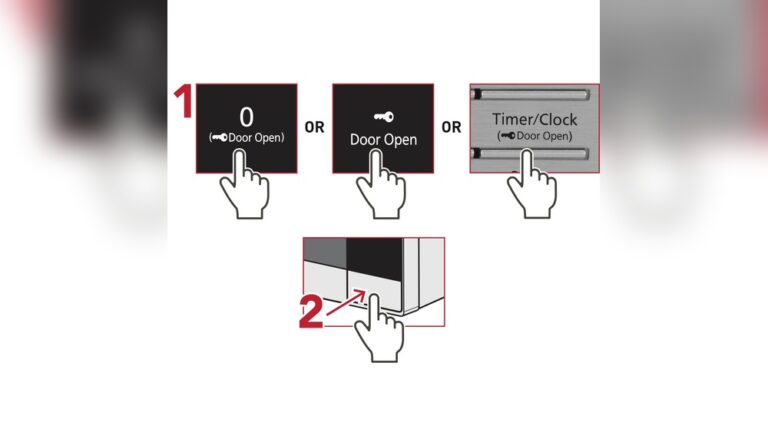
The microwave door must close tightly for the oven to heat. If the door latch is misaligned, the microwave may not start heating. Open and close the door slowly. Look at the latch and the frame where it locks. Both parts should line up perfectly.
If the door feels loose or does not click firmly, the latch may need adjusting or replacing. Clean any dirt or debris around the latch that might block it. A well-aligned door ensures the microwave’s safety switches work correctly.
Identifying Faulty Magnetron Or Diode
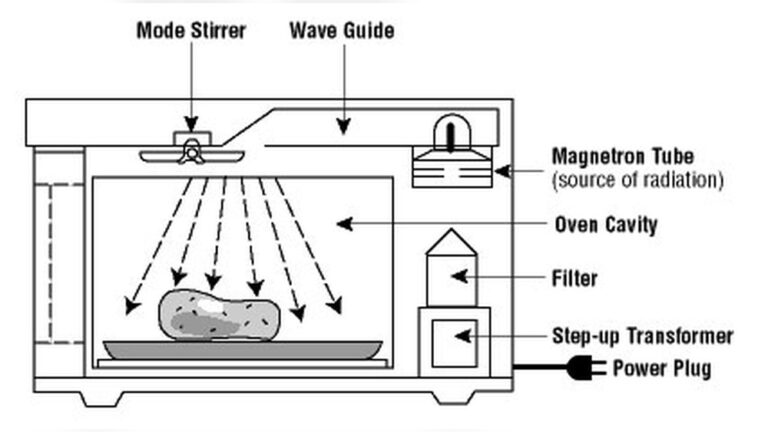
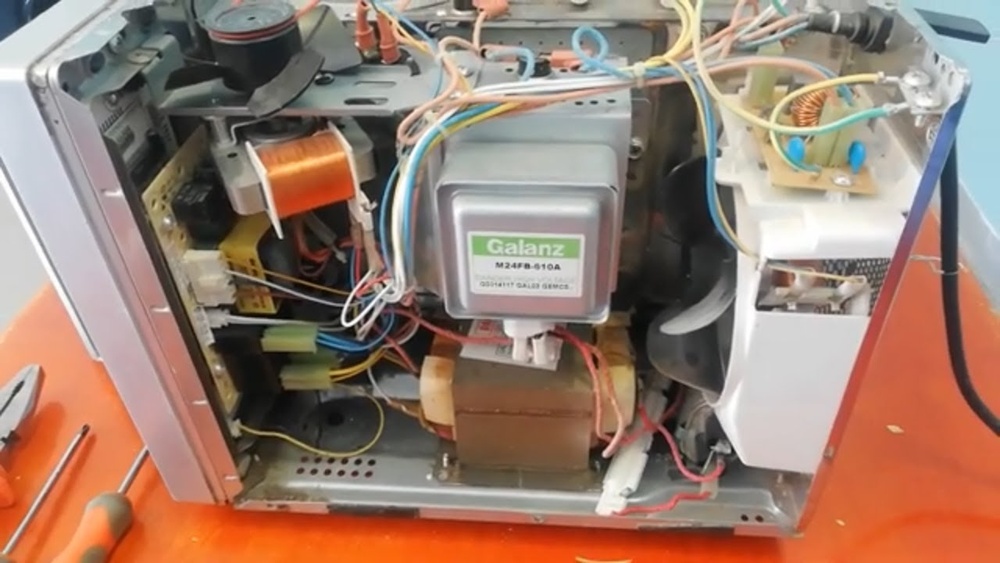
The magnetron creates the microwaves that heat your food. The diode sends power to the magnetron. If either part fails, the microwave will not heat. Listen for a humming sound when the microwave runs. No humming can mean a broken magnetron.
Check the diode with a multimeter if you have one. A faulty diode often causes the microwave to stop heating. Replacing the magnetron or diode requires special tools and knowledge. Avoid touching these parts without safety training.
When To Call A Professional
Microwave ovens use high voltage parts. Repairs on magnetrons, diodes, capacitors, or internal wiring can be dangerous. Call a professional if your microwave still does not heat after simple fixes.
Also, contact a technician if you see sparks, burning smells, or hear loud noises. Professionals have the right tools and experience to fix these problems safely. Protect yourself and your home by using expert help for complex issues.

Credit: www.ifixutah.com
Diagnosing Heating Problems
Turntable issues can stop your microwave from heating food evenly. The plate might not spin or could get stuck. Fixing these problems often restores your microwave’s proper function quickly. Simple steps like repositioning the plate or cleaning debris can help. Sometimes, you may need to replace parts like the motor or coupler. Here is how to address common turntable problems safely and easily.
Repositioning The Plate
Check if the turntable plate sits correctly on the support ring. Remove the plate and place it back carefully. Align the plate’s center hole with the turntable spindle. Ensure the plate can rotate freely without wobbling. A misaligned plate often blocks spinning. Adjusting it often solves the issue fast.
Cleaning Debris
Food crumbs or spills can block the turntable from moving. Remove the plate and the support ring. Clean both parts with warm soapy water and dry them well. Check inside the microwave for stuck debris around the motor area. Use a soft cloth to wipe clean. Removing dirt ensures smooth rotation and prevents damage.
Replacing Motor Or Coupler
If the plate still won’t spin, the motor or coupler may be faulty. Unplug the microwave before starting any repairs. Access the motor by removing the microwave’s bottom panel. Inspect the motor and coupler for signs of wear or damage. Replace broken parts with exact matches from the manufacturer. Reassemble and test the turntable function. This step may require basic tools and caution.
Fixing Turntable Issues
Sparking inside a microwave oven can be alarming and harmful. It often signals an issue that needs quick attention. Sparks usually come from metal objects or dirt in the cooking area. Fixing sparking stops damage and keeps the microwave safe to use. Follow these steps to solve sparking problems effectively.
Removing Metal Objects
Metal items cause sparks when microwaves hit them. Check the oven cavity for forks, spoons, or aluminum foil. Remove all metal before turning on the microwave. Even small metal bits can spark and damage the oven. Use microwave-safe containers and covers to avoid sparking issues.
Cleaning The Waveguide Cover
The waveguide cover directs microwaves inside the oven. Food spills or grease can build up on this cover. Dirty waveguide covers cause arcing and sparks during use. Clean the cover gently with a damp cloth and mild soap. Avoid harsh scrubbing to prevent damage. Dry it fully before using the microwave again.

Credit: www.ifixutah.com
Resolving Sparking Problems
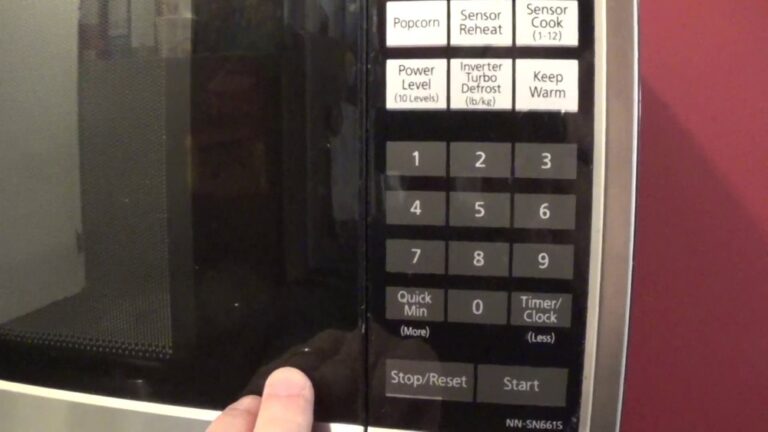
The control panel and door are key parts of a microwave oven. Problems here often stop the microwave from working properly. The control panel may not respond or show errors. The door might not close well, causing safety locks to block operation. Troubleshooting these parts can save time and money.
Start by checking the control panel for stuck buttons or display issues. Look at the door latch and switches for damage or misalignment. Many problems come from simple faults like dirt, loose parts, or power glitches. Careful inspection helps find the root cause quickly.
Resetting The Microwave
Resetting the microwave can clear minor control panel errors. Unplug the microwave from the power source. Wait for about five minutes to let the system fully reset. Plug it back in and test the control panel and door functions. This simple step often restores normal operation.
If the display still does not work or buttons remain unresponsive, further repair is needed. Resetting does not fix hardware faults but can solve software glitches.
Replacing Touchpad Or Switches
The touchpad controls the microwave’s settings and time. Over time, touchpads wear out and stop responding. Replacing the touchpad requires opening the microwave casing carefully. Disconnect the old touchpad from the control board and install the new one.
Door switches act as safety locks. If the door does not close correctly, switches may fail. Test door switches with a multimeter for continuity. Replace any faulty switches to ensure the microwave runs only when the door is closed.
Always unplug the microwave before attempting repairs. Use manufacturer-approved parts to ensure compatibility and safety.
Addressing Strange Noises
Replacing the microwave light bulb is a simple fix that improves visibility inside the oven. A working light helps you monitor food without opening the door. The bulb may burn out over time or stop working suddenly. Changing it yourself saves time and money. Follow safe steps to replace the bulb correctly and avoid damage.
Unplugging Before Replacement
Always unplug the microwave before starting any repair. This prevents electric shock and injury. Make sure the microwave is completely disconnected from power. Wait a few minutes for any stored electricity to drain. Safety first. Never touch internal parts while the microwave is plugged in.
Installing A New Bulb
Locate the light bulb cover inside the microwave. It is usually behind a small panel or grille. Remove the cover carefully using a screwdriver if needed. Take out the old bulb by gently twisting or pulling it. Insert the new bulb of the same type and wattage. Replace the cover securely. Plug the microwave back in and test the new light.

Credit: www.youtube.com
Frequently Asked Questions
What Is The Common Problem Of A Microwave Oven?
Common microwave problems include not heating, turntable not spinning, sparking, strange noises, and control panel or door failures. These issues often stem from faulty magnetron, motor, switches, or debris inside. Basic cleaning helps, but professional repair suits electrical component faults.
Is It Worth Fixing A Microwave Oven?
Fix a microwave if repair costs are low and parts are available. Avoid fixing high-cost issues like magnetron failure. Professional service ensures safety and longevity.
Is There A Reset Button On Microwaves?
Most microwaves lack a dedicated reset button. Unplugging for a few minutes often resets the system. For persistent issues, consult the manual or a technician.
Conclusion
Fixing a microwave oven can save time and money. Start with simple checks like cleaning and aligning parts. Replace broken pieces if needed, but avoid risky electrical repairs. Always unplug the microwave before working on it. Small fixes often solve common problems like no heating or a stuck turntable.
If the issue seems complex, consider professional help. Regular maintenance keeps your microwave working longer. Stay safe and patient during the repair process. A working microwave makes cooking easier every day.